Repository-based development is in early access, and availability can differ
by workspace. You need authorized access to the repository you want to use.
From an idea to a code contribution
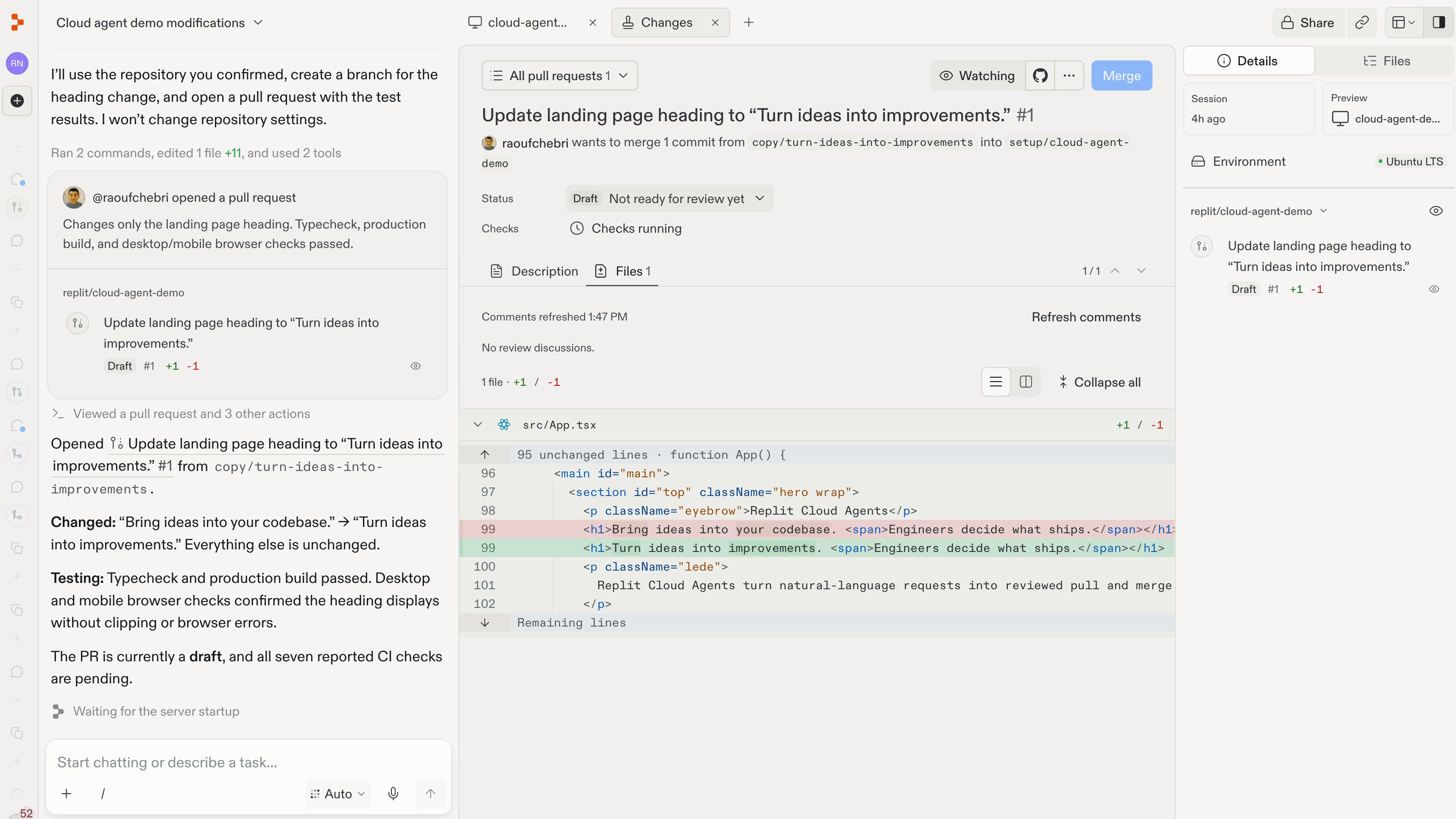
The screenshots below come from the Code guides. The change shown is a demo website heading, rather than the café’s opening hours.1
Connect your repository
Open Repositories, connect GitHub or GitLab,
and choose a repository you can access. Select Use in chat to begin
working with it.A repository is where your app’s code and its history are stored. Connecting
it lets you work on that code without moving your live app to Replit.Follow Connect to your repository
for the full setup.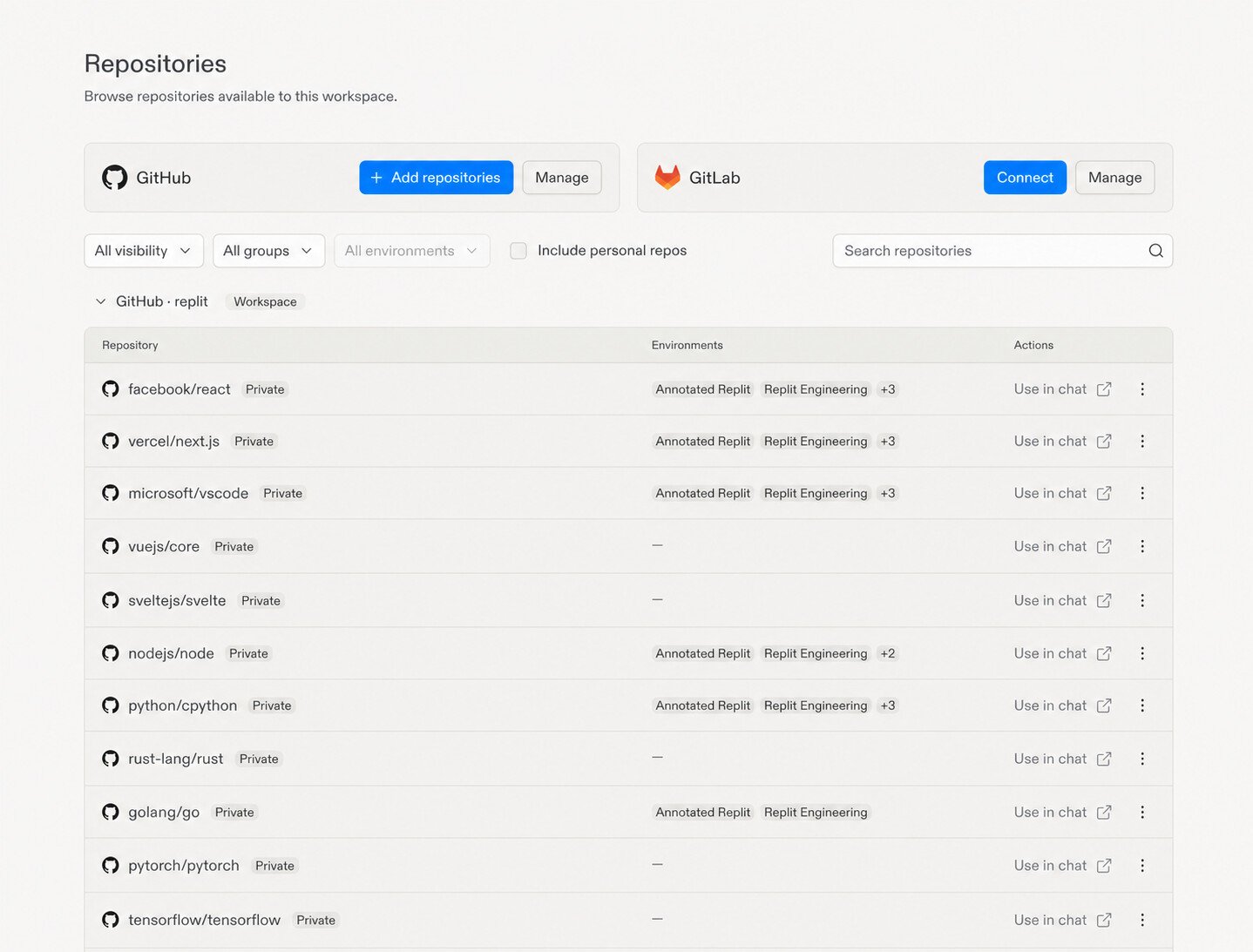
2
Run the app and describe your change
Ask Replit to run the app in a development preview, then describe the result
you want. For an existing café website, you could start with:You can also start with a question about how the code works, without
requesting any changes.See Run your app in Replit for
preview and setup guidance.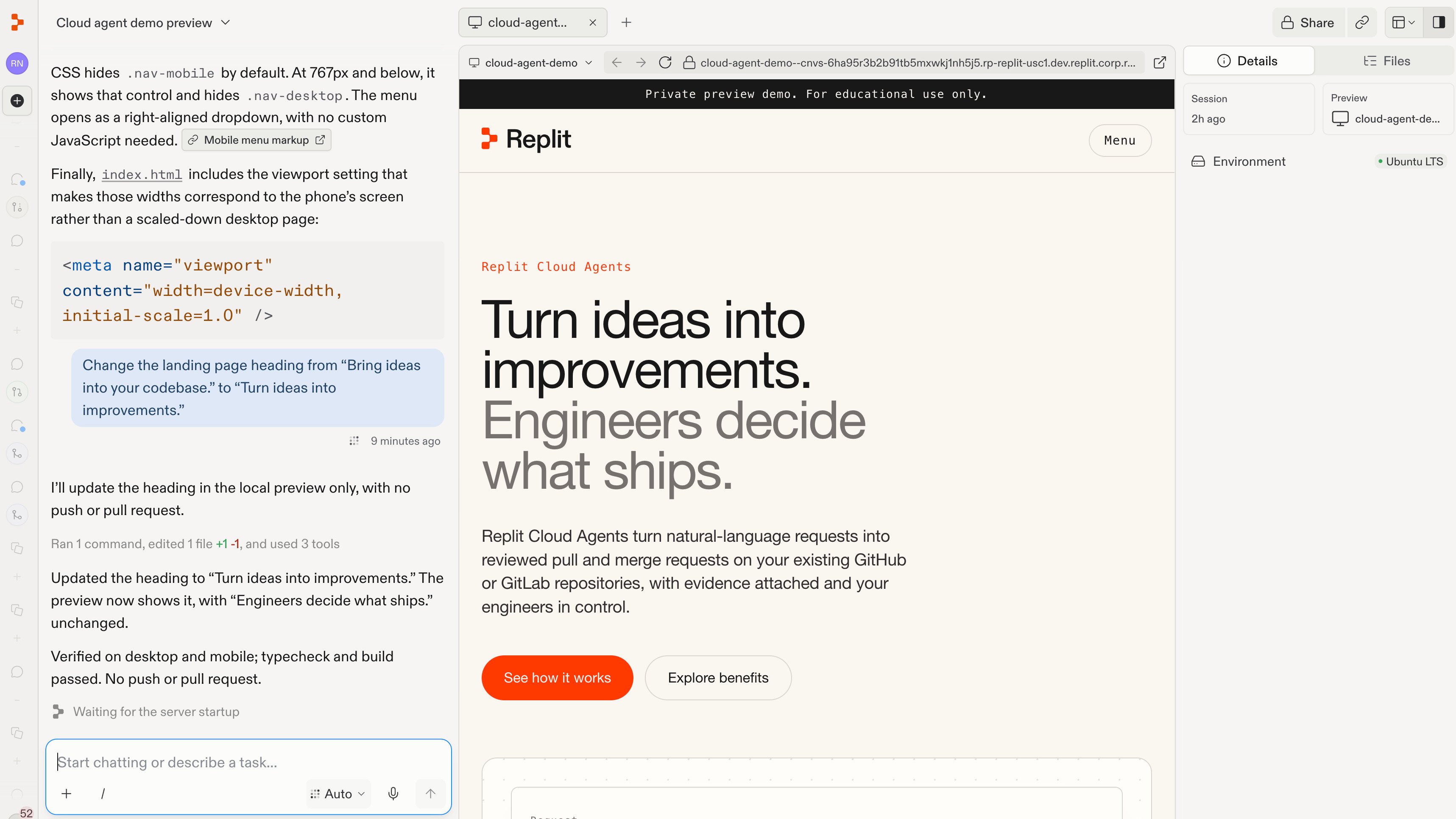
3
Review and test
Check the preview and ask Replit to test the change. For the café website,
confirm that the new hours are correct and readable on both desktop and
mobile.A development preview is separate from your live site. Review what changed
and any test failures before proposing the contribution.
4
Contribute back to GitHub or GitLab
When you are happy with the result, ask Replit to push the changes to a
new branch and open a pull request on GitHub, or a merge request
on GitLab.This proposes your changes for your team to review. It does not merge them
or update your live site. You can ask Replit to address review feedback
in the same chat.