Use Replit’s SEO rating and Agent to make your published app rank higher in search engines.
By the end, your published app will rank higher in search engines — and the SEO rating in the Publishing tool will reflect it.After every successful publish, Replit runs an SEO audit and shows an SEO rating. If the rating has room to grow, one click hands the specific issues to Agent. For most builders, the workflow is just: publish → glance at the rating → ask Agent to optimize.For details on how the rating is calculated (Lighthouse audit, what each rating means, supported deployment types), see SEO Rating.
SEO Agent runs a technical SEO audit on your published app and turns each finding into a one-click fix. It lives in the Growth pane in the Project Editor and is available to builders on a paid plan. Follow these steps to scan your app and apply the fixes.
1
Publish your app to unlock Growth
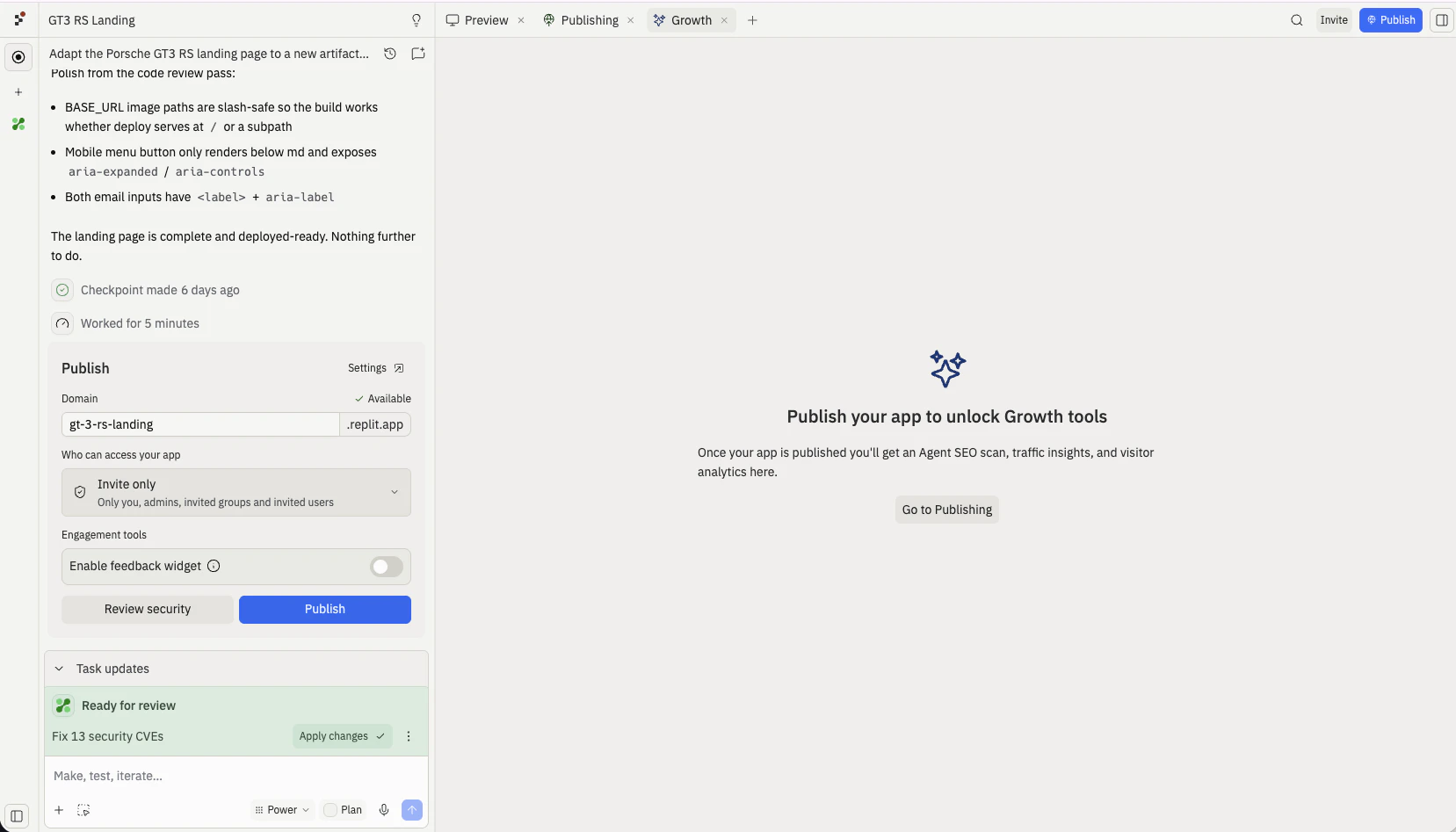
SEO Agent works on a published app. Until you publish, the Growth pane is locked and prompts you to Go to Publishing. Publish from the Agent chat or the Publishing tool, then return to the Growth pane.
Before you publish, the Growth pane is locked with a Go to Publishing prompt
2
Run scan with Agent
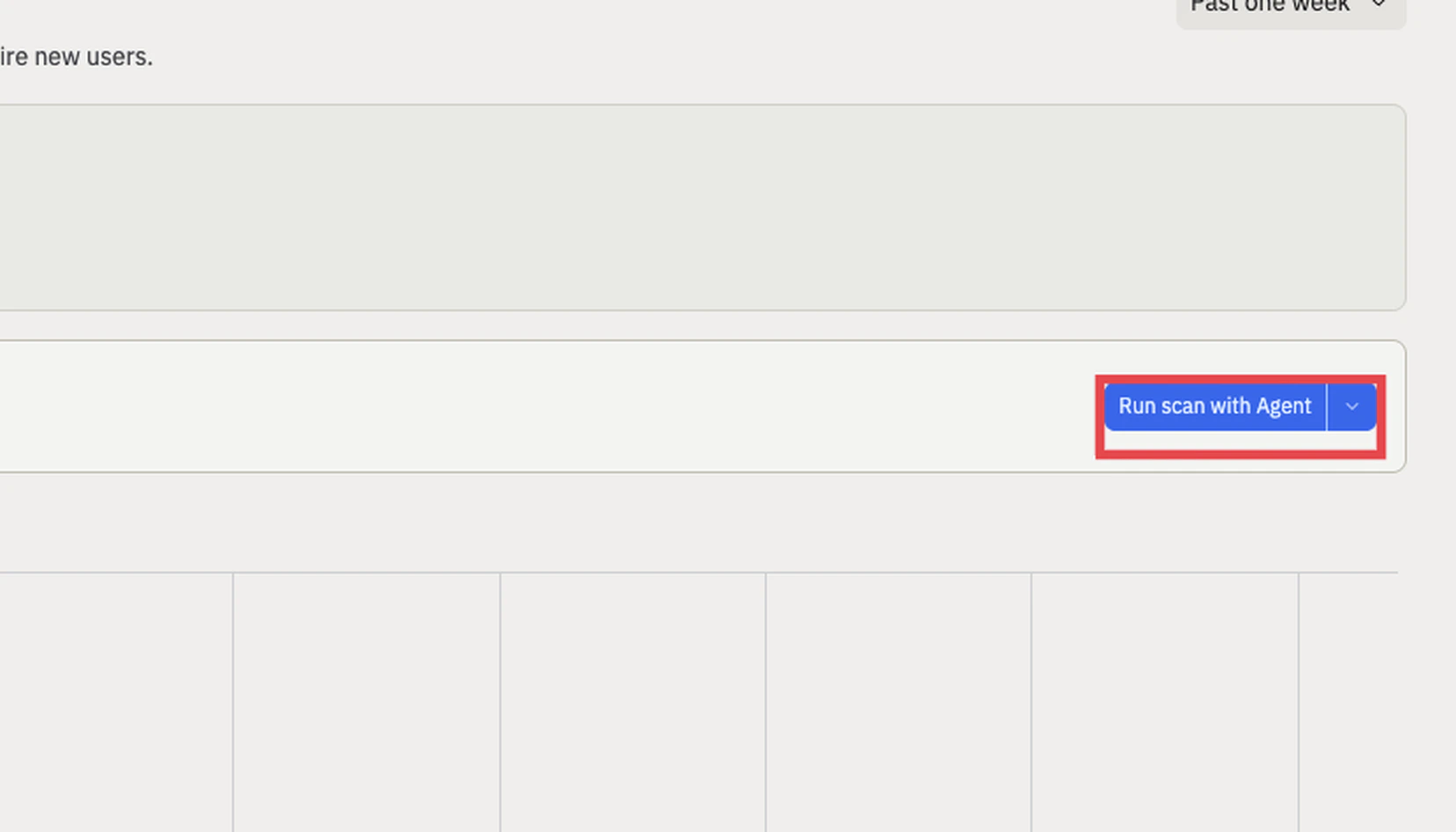
Open the Growth pane and find the SEO Rating card. Select Run scan with Agent to start a technical SEO audit of your project. A scan usually takes a few minutes.
Select Run scan with Agent in the SEO Rating card to start the audit
3
Fix with Agent or Fix all with Agent
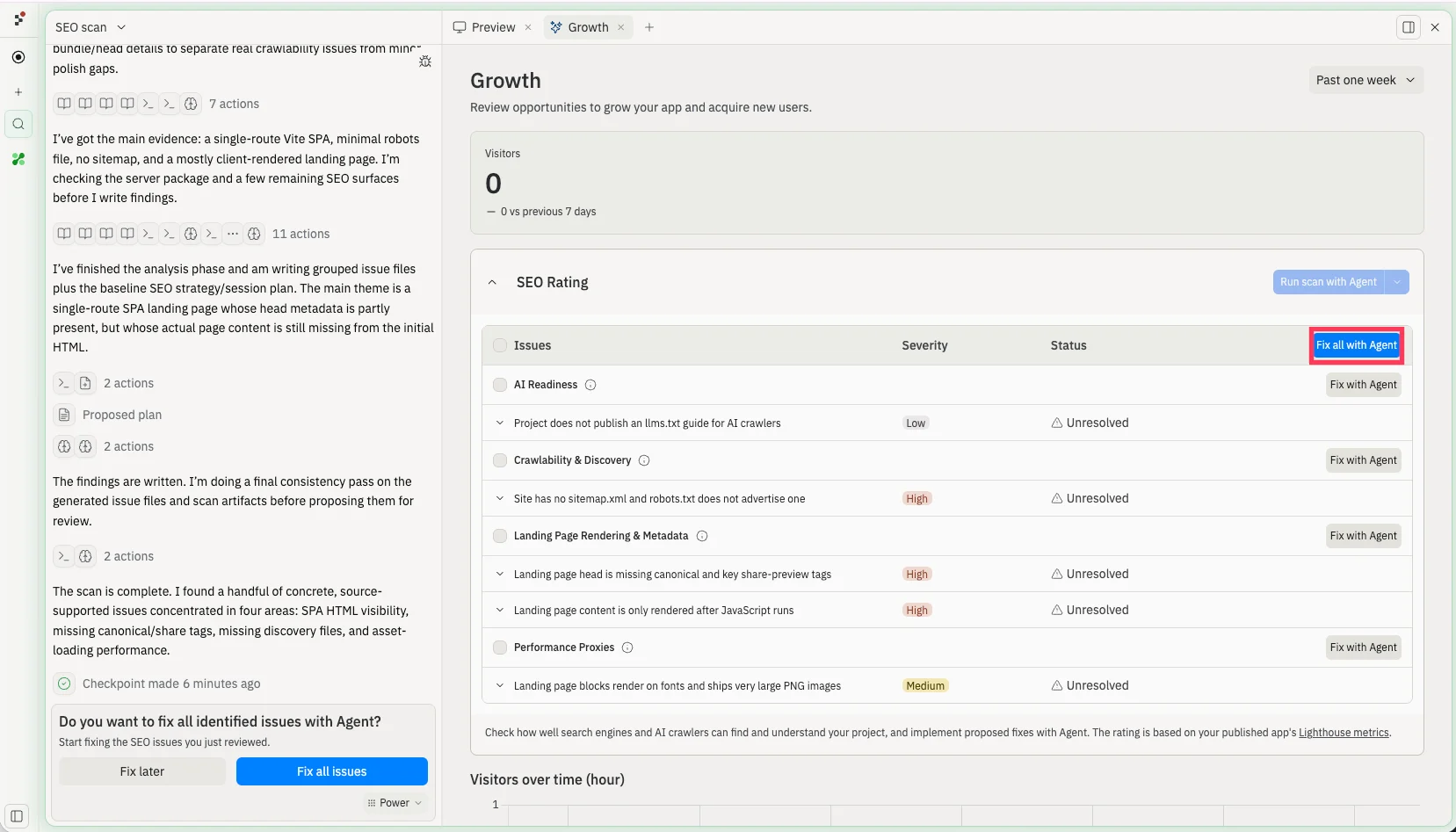
When the scan finishes, the issues appear in a table with Severity (Low, Medium, or High) and Status (Unresolved) columns, grouped into categories such as AI Readiness, Crawlability & Discovery, Landing Page Rendering & Metadata, and Performance Proxies. Expand any issue to read what SEO Agent found.Apply fixes at whatever granularity you want:
Fix with Agent on a single issue hands just that item to Agent.
Fix with Agent on a category fixes every issue in that group.
Fix all with Agent sends every issue to Agent at once. The Fix all issues button in the chat does the same thing.
After the scan, fix issues individually, by category, or all at once with Fix all with Agent
4
Agent works through the fixes
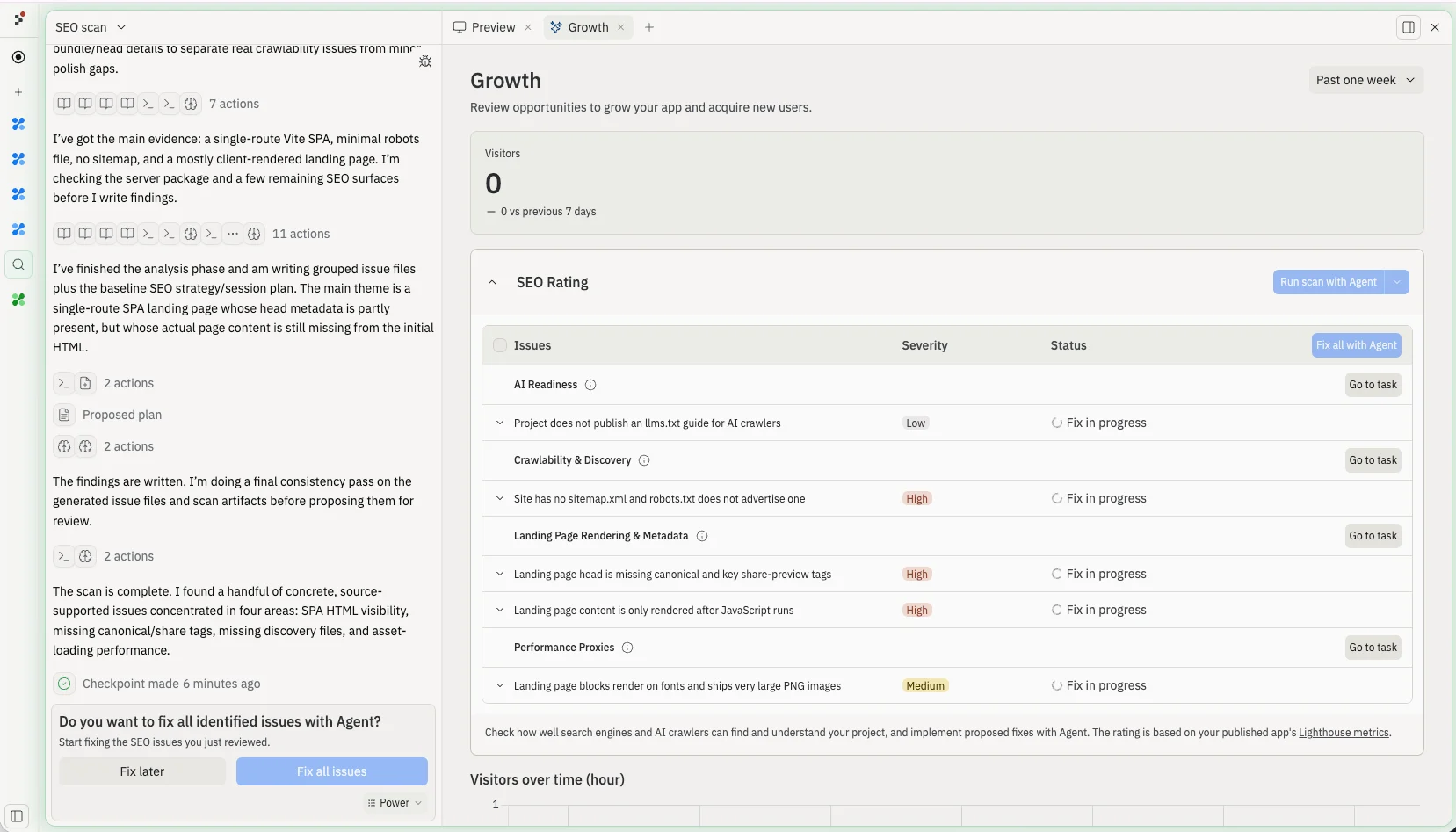
Agent spins up a fix task for each issue and works through them in the background, so you can keep building. Rows update to Fix in progress, and a Go to task link lets you open any task to follow along.
Agent spins up fix tasks; issue rows show Fix in progress with a Go to task link
5
Apply changes to main version
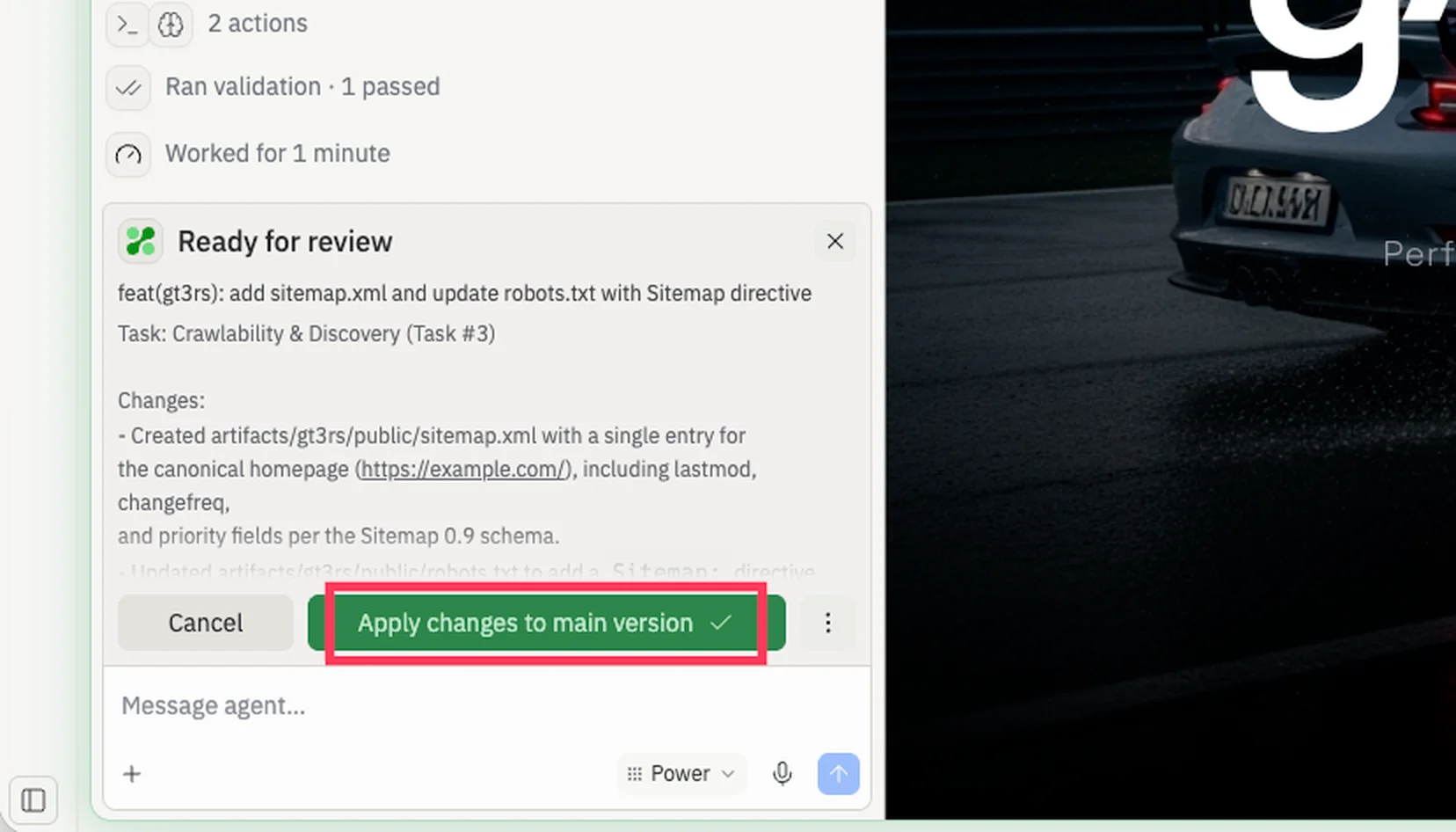
When a fix is ready, the task shows a Ready for review state. Review the changes, then select the green Apply changes to main version button to merge the fix into your app. Republish to refresh your SEO Rating against the new build.
Review each fix and select Apply changes to main version to merge it
You can also skip the scan UI entirely. Open Agent and say “optimize my
SEO” — Agent will pick up your latest results and start working through
them.
Common fixes Agent will apply:
Add or rewrite missing or generic <title> tags so each page has a unique, descriptive title.
Add a meta description to every page.
Add descriptive alt text to images.
Set the lang attribute on the <html> element.
Make sure links have discernible text (no “click here” or empty anchors).
Add a robots.txt and a sitemap.xml.
Add a viewport meta tag for mobile rendering.
Improve color contrast on text that fails accessibility checks.
Add Open Graph and Twitter card meta tags so links to your app preview well on social platforms.
The rating didn’t update after a republish: wait a minute or two — the audit runs asynchronously after the deployment goes live, and the badge refreshes when results land.
The rating is the same after Agent’s changes: ask Agent which specific Lighthouse items it addressed, then check the badge tooltip for the items that are still flagged.
Some pages have a lower rating than others: the badge surfaces the lowest rating across all crawled URLs. Ask Agent to focus on the specific page Lighthouse flagged.
You don’t see a rating on a published app: SEO ratings only run for public web-facing deployment types (Autoscale, Reserved VM, Static). Scheduled and private deployments don’t produce a rating.
Was this page helpful?
Assistant
Responses are generated using AI and may contain mistakes.