

View usage
Use the usage page to see where your credits go across your personal account or workspace. Filter by date, resource, project, workspace, group, or member to find what drives usage. Usage updates in near real time, so you can check recent activity without waiting for a daily report.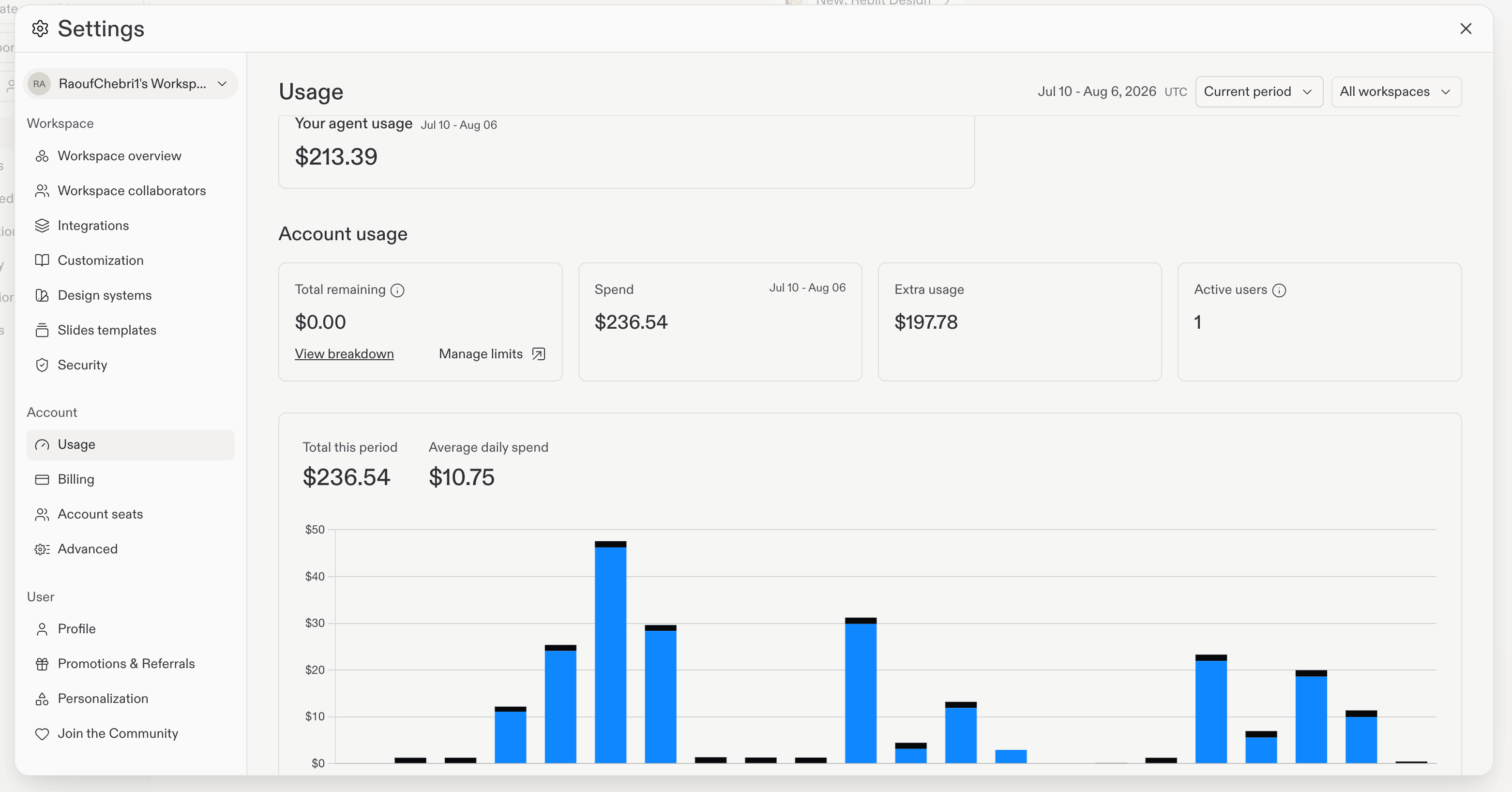
Optimize AI costs
AI features like Agent are powerful tools, but strategic use can help you maximize value while controlling costs. Here are effective ways to reduce AI spending.Use Plan Mode for cost-effective collaboration
Plan Mode is one of the most effective ways to save on AI costs. When you enable Plan Mode, Agent creates a detailed plan without making any code changes. This approach offers several cost benefits:- Chat before committing: Discuss and refine the approach with Agent before any work begins
- Lower token costs: Planning conversations use fewer tokens than code generation and editing
- Precision targeting: Review and adjust the plan to ensure Agent only works on what matters
- Iterative refinement: Get the scope right before spending tokens on implementation
Control costs with Agent modes
Agent modes let you choose cost vs. capability:- Free Mode: no-cost everyday Agent work within your plan’s allowance.
- Auto: automatic model selection for paid work in Power or Max.
- Power: more capability at an affordable price.
- Max: the best frontier models for the most demanding work.
- Review before execution: See what Agent plans to do before it makes changes.
- Selective approval: Approve the changes that fit your goals and skip the rest.
Purchase credit packs
If you’re on a Core or Pro plan and need additional credits beyond your monthly subscription allowance, you can purchase credit packs. Credit packs have discounts when you buy larger amounts, making them ideal for covering temporary usage spikes or preparing for larger projects.1
Open Settings
From your workspace, select Settings in the left sidebar.
2
Go to Billing
Select the Billing tab.
3
Purchase a credit pack
Select Purchase credit pack and choose the pack size you want.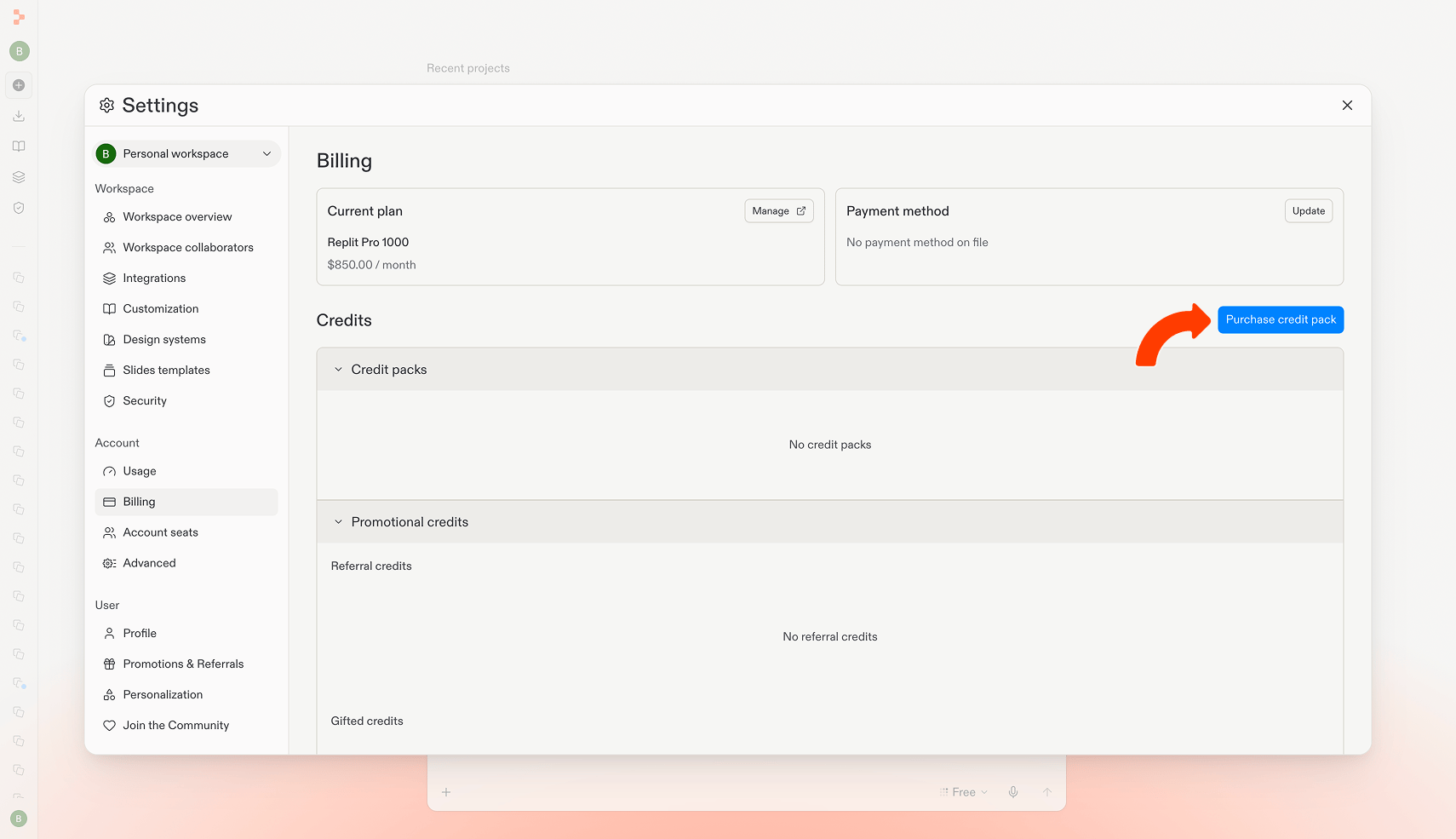
Available credit packs
Credit packs are available in four sizes, with increasing discounts on larger purchases:How credit packs work
- Purchase location: Available in Settings → Billing → Purchase credit pack for Core and Pro plan customers
- Expiration: Credit packs expire six months after the purchase date
- No renewal: Credit packs do not automatically renew
- No rollover: Unused credits from a pack do not roll over after expiration
- Automatic usage: Credits are automatically used from the credit pack that expires earliest first, helping you maximize the value of your purchases
- Auto-reload: Turn on auto-reload to automatically purchase a new credit pack when your balance runs low, so you don’t get interrupted mid-project
- Manage anytime: Enable, adjust, or turn off auto-reload from Settings → Billing
Your usage limits and budgets will apply to usage after you use any credit packs you may have. If you want to limit your usage to just credits you’ve purchased in your pack, set any limits to $0.01.
View payment receipts
If your account uses top-ups, open Settings → Billing and find Payment receipts to review successful one-time top-ups and auto-reload payments. Each row shows the payment date, purchase type, amount, and refund status. Select View receipt to open the receipt from the payment provider.Set up limits and budgets
You can establish monthly usage limits and budgets for all usage-based billing services to monitor and control your costs.Usage limits
Usage limits cap your spending beyond your monthly credits. When you reach your limit, usage-based services are blocked until the next billing cycle or until you increase the limit. For Core accounts, open Settings → Account → Usage. In the Account usage section, select Manage limits to set up a usage limit. For organizations, open the usage page and select Manage limits under Account usage.Service shutdown limit
When this limit is reached, services will be suspended until the budget is increased or the next billing cycle begins. This will help prevent extra charges. Set this limit from the same Manage limits dialog described under Usage limits.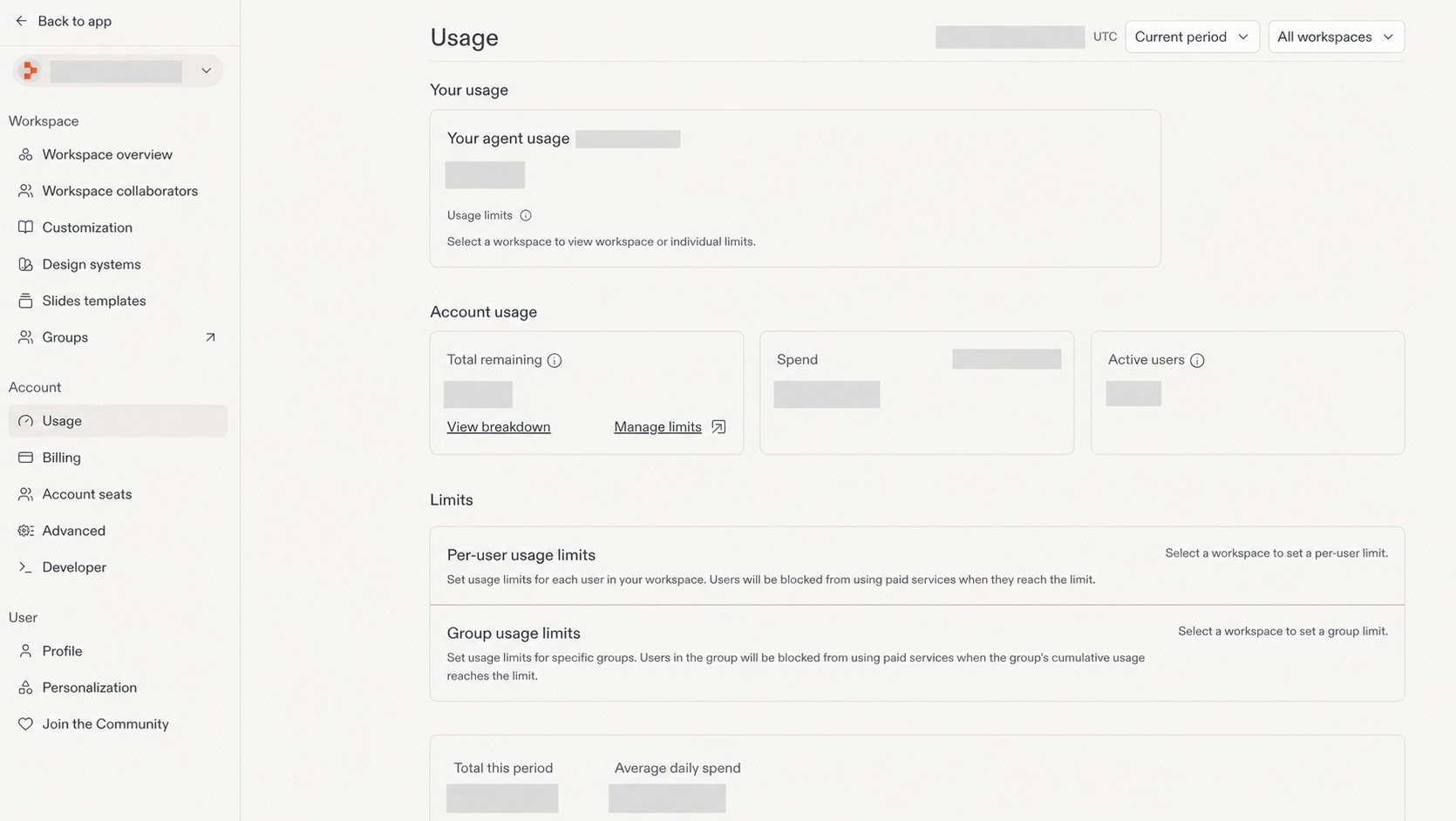
Organization budgets
For organizations, you can set your usage budget from the settings page. Budgets must be in increments of $500.You must have organization admin or owner permissions to enable a monthly usage limit. If you don’t have access, contact your organization owner.
Per-user spend limits
Enterprise admins can give individual members a different spend limit than the workspace default. Use this to grant power users a higher cap or to tighten a single member’s spend without changing the rest of the workspace.1
Open the workspace usage page
From your Enterprise workspace, open the usage page. The Agent users table lists every member of your workspace alongside their current usage.
2
Edit a member's limit
Find the member you want to adjust and select the edit icon in the Usage limit column. The dialog shows the workspace default, any applicable group limit, and a field for the new per-user limit.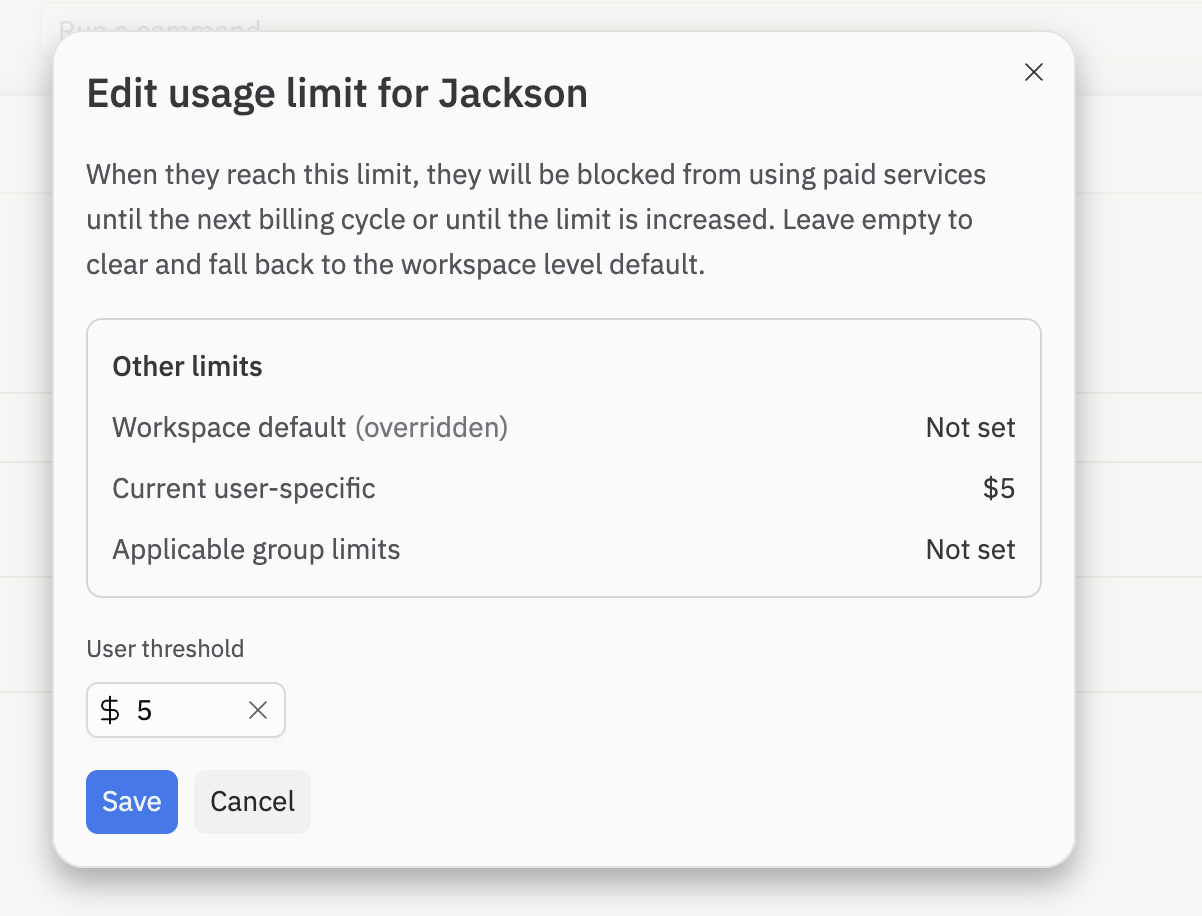
3
Save the override
Enter the new limit and select Save. The override takes effect immediately and the new value appears in the Usage limit column. To remove an override later, clear the field and save. The member then falls back to the most specific group or workspace limit that applies to them.
Per-user spend limits are available on the Enterprise plan. Members assigned to a custom group inherit that group’s limit unless an individual override is set. Per-user overrides always take precedence over group and workspace defaults.