

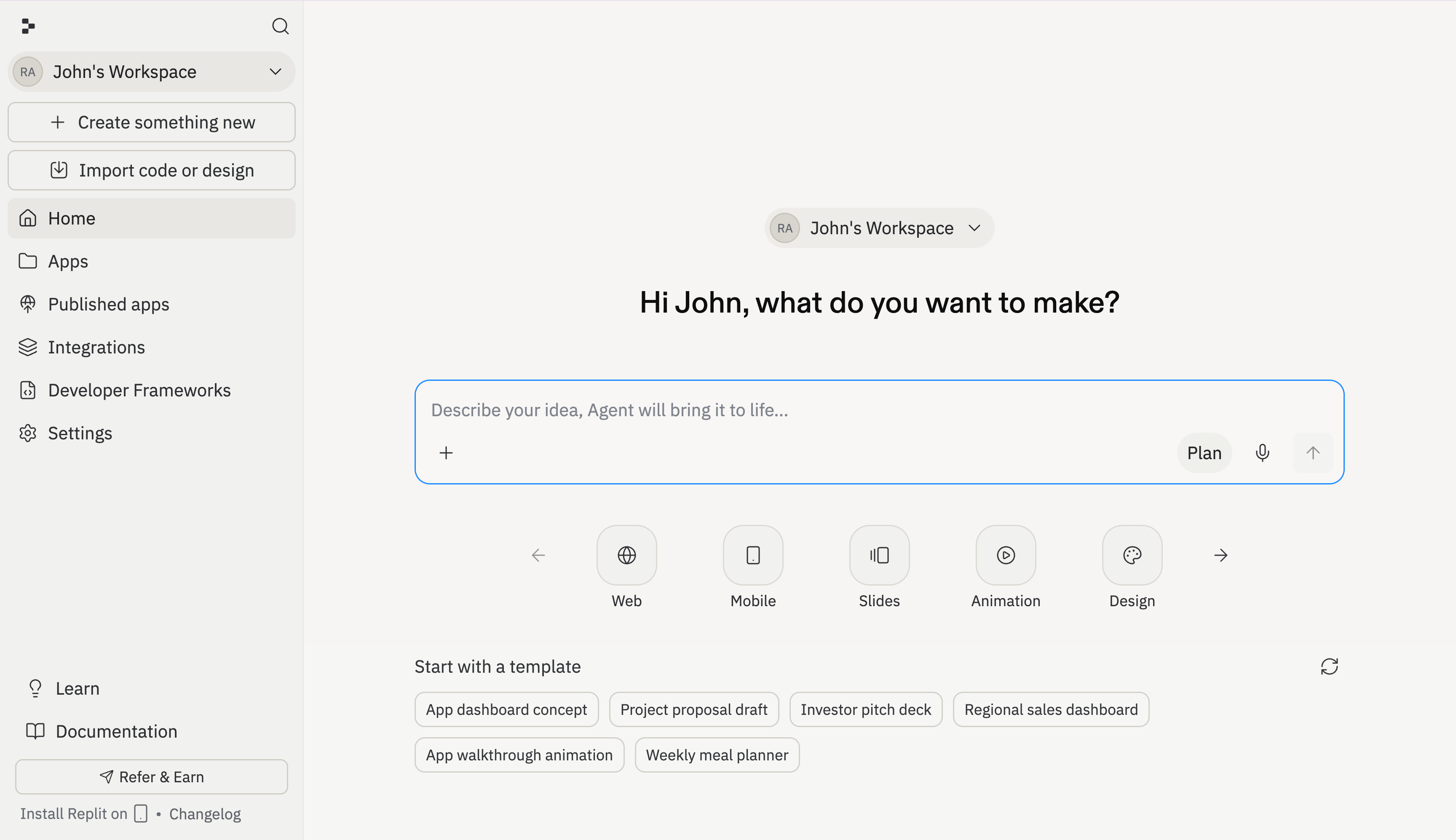
What is the Workspace?
The Workspace is your home base on Replit — the environment where you start building, manage your projects, and see your apps come to life. From here, you can describe what you want to build, and Agent takes it from there — writing code, setting up your project, and showing you a live preview in real time.Getting started
Type what you want to build into the prompt box. Describe your idea in plain language — “a budget tracker that charts my spending”, “a landing page for my coffee shop”, “an AI comic book generator for kids” — and Agent handles the rest. You can also select a project type from the carousel to tell Agent what kind of output you want — web app, mobile app, slides, design, and more. Or skip the selection entirely and just describe your idea; Agent figures out the right setup automatically. To jump right in, follow the Create with AI quickstart.Plan mode
Plan mode allows you to brainstorm, ask questions, and map out your project. Agent creates an ordered task list you can review and refine — when you’re happy with the plan, approve it and Agent starts building. You can also use Plan mode to ask questions or explore ideas; Agent won’t make any changes until you exit. Toggle Plan mode from the button at the bottom of the input. Learn more in the Plan mode guide.What you can build
Select a project type to tell Agent what you want, or just describe your idea and let Agent pick the right setup.- Web apps — Dashboards, internal tools, SaaS products, landing pages
- Mobile apps — iOS and Android apps from a single prompt
- Slides and presentations — Generate decks with rich layouts
- Animations — Interactive walkthroughs and motion graphics
- Designs — Visual mockups and prototypes on the Design Canvas
- Data visualizations — Charts, dashboards, and database-backed tools
- Documents — CSVs, PDFs, PowerPoint files, Markdown docs
- Spreadsheets — Data tables and structured outputs
The Editor
Once Agent starts building, the Editor is where you see your project take shape. It’s split into panels — your conversation with Agent on one side, and a live preview of your app on the other.Threads
Every conversation with Agent happens in a thread. Your main thread is where you describe what you want and watch Agent build it. When you use the task system, each background task gets its own thread — so Agent can keep task work isolated without mixing up the conversations.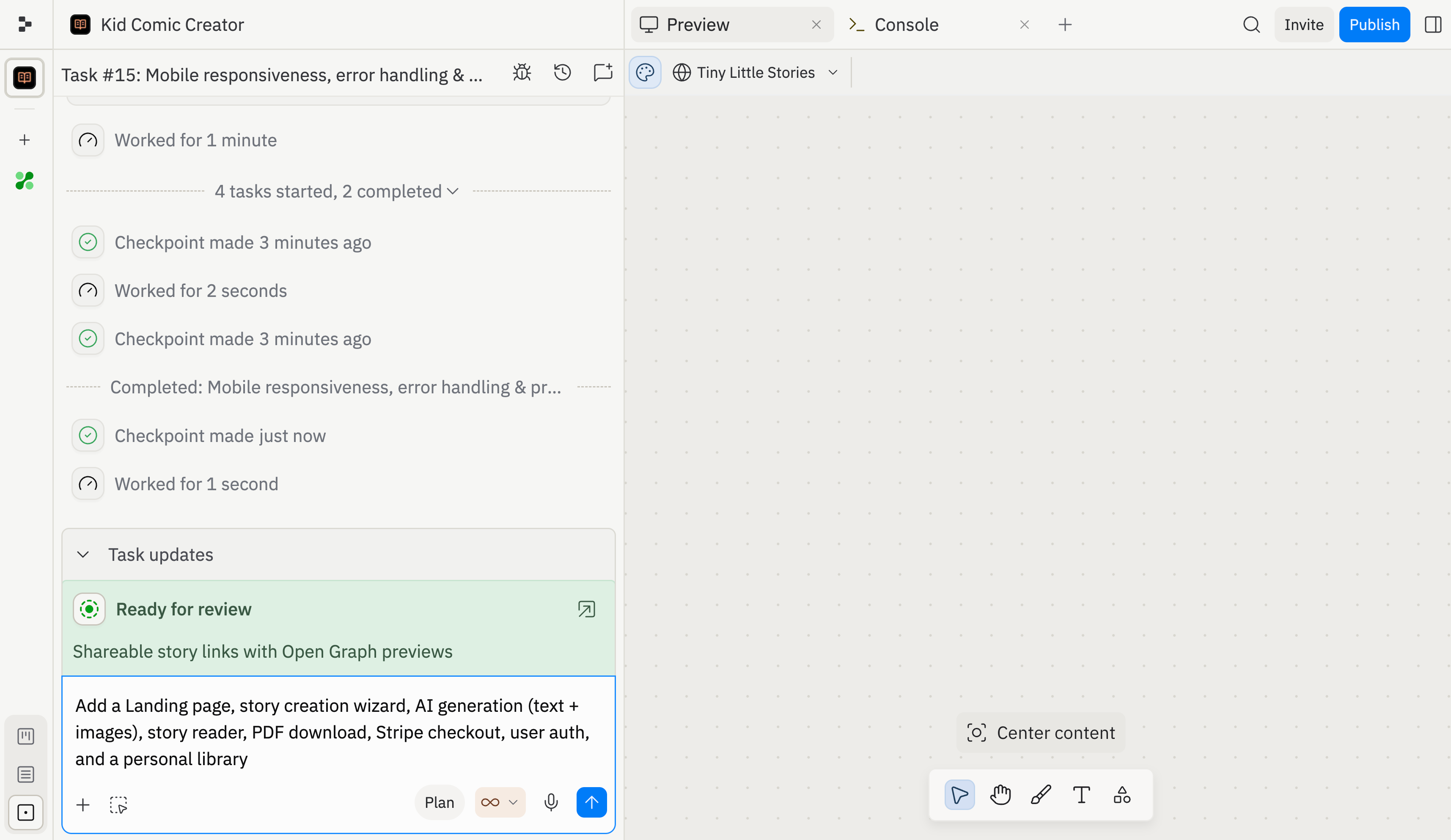
Task board
The task board organizes your work into columns — Drafts, Active, Ready, and Done. Each task moves from left to right as it progresses, so you can see at a glance what’s planned, what Agent is working on, and what’s finished. Learn more in Build in parallel.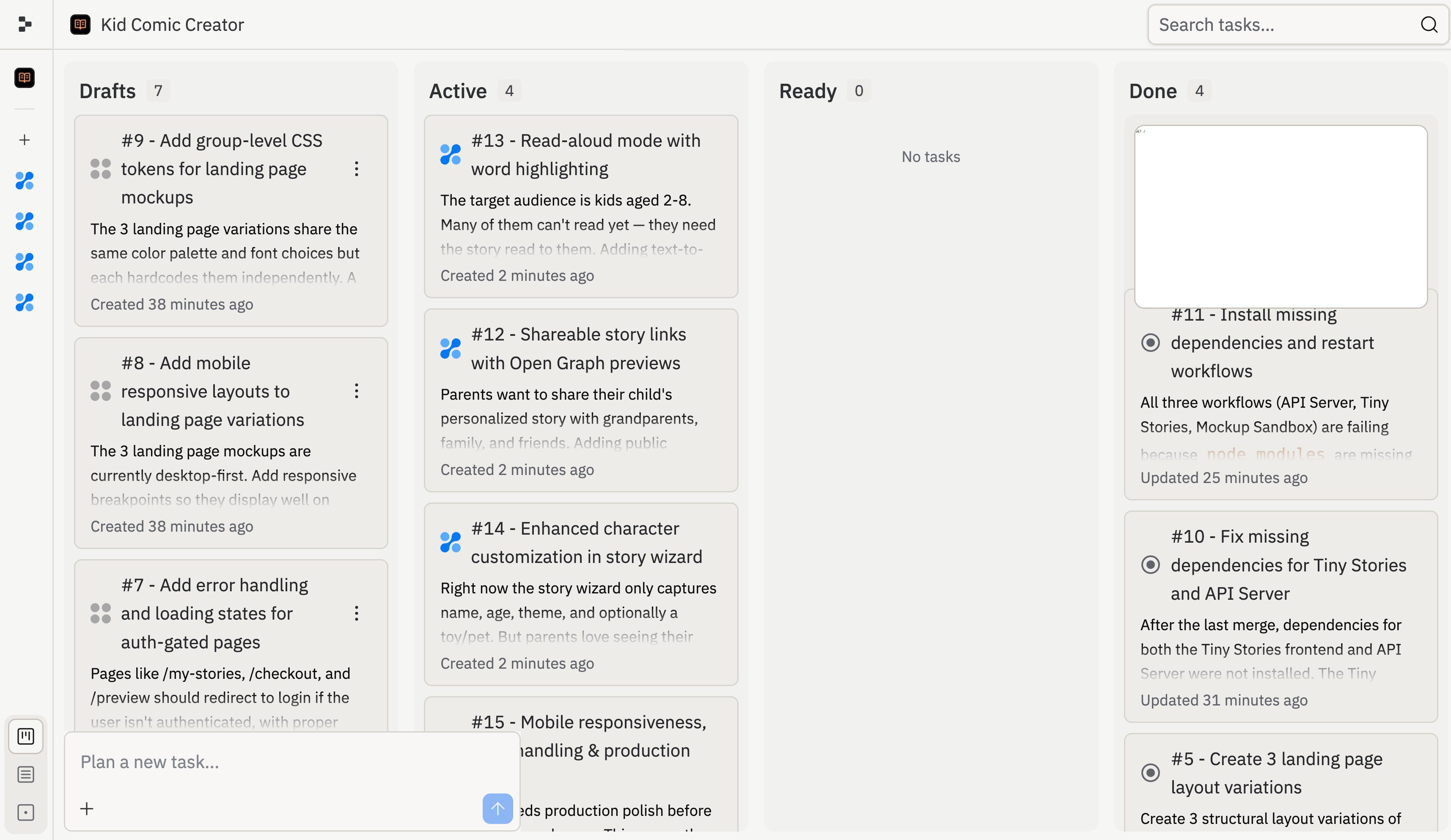
Design Canvas
The Design Canvas is a visual editor where you can create and refine mockups before committing to code. Drag elements, adjust layouts, and iterate on your design — then let Agent turn it into a working app. Learn more in Design Canvas.Collaboration
Create a team Workspace to build together. Invite teammates, share projects, and work on the same app in real time. See Team workspaces for workspace setup and Invite teammates for project-level collaboration.Import code and design
Already have a project? Bring it into Replit from GitHub, Figma, or upload files directly. Agent can pick up where you left off and continue building from your existing code or design. See Import to Replit.Next steps
Editor & tools
The main panels where you see your app’s preview, console output, and other tools
App setup
Configure your app’s settings, dependencies, secrets, and environment
Version control
Track changes, roll back to earlier versions, and manage your app’s history
Publishing
Deploy your app to a live URL so anyone can use it
Frequently asked questions
Do I need to know how to code?
Do I need to know how to code?
No. Describe what you want in plain language and Agent handles the technical details. You can also make direct edits if you want to.
What happens when I close my browser?
What happens when I close my browser?
Your Workspace is saved in the cloud. Come back any time and pick up right where you left off — your files, history, and running app are all preserved.
Can I work with other people?
Can I work with other people?
Yes. You can invite collaborators to a specific project or create a team Workspace where members access all projects. See Team workspaces and Invite teammates.
How do I publish my app?
How do I publish my app?
When your app is ready, deploy it to a live URL directly from the Workspace. See Deployments.