

Key features
Enterprise includes everything in Pro, plus organization-wide identity, governance, integrations, and a dedicated support team:- SSO and SAML with SCIM provisioning: Secure, automated team access tied to your identity provider. See SAML SSO and SCIM provisioning.
- Dedicated, secure Workspace: Role-based access control mapped to your identity provider’s groups, isolated to your organization. See Groups and permissions.
- Audit logging via SIEM: Stream a full audit trail to your existing security and monitoring tools. See Audit logs.
- Admin governance controls: Require private deployments, ban public apps, mandate security scans, and pin deployment geographies.
- Enterprise Security Center: CVE detection across all dependencies, organized by severity, with affected-app drill-down and SBOM downloads for compliance.
- Custom-scoped first-party integrations: Tightly scope what each team and app can connect to inside your stack. Bring your own OAuth app for connectors when you want your own branding. See Configuring OAuth App with Replit.
- Data and warehouse integrations: First-party access to Databricks, BigQuery, Microsoft Fabric, Hex, and Snowflake. Build analytics dashboards and data visualization tools directly against your warehouse.
- Dedicated Product Advocate and Field Engineer: Named Replit partners who help your teams adopt Replit, scale up, and unblock. Hands-on onboarding sessions get every team building productively in their new Workspace.
- Unlimited seats: No per-seat costs. Invite the whole company.
Upgrade to Enterprise
You can upgrade to Enterprise from any plan in a few steps. The upgrade happens entirely inside Replit.1
Open Billing in Settings
Go to Billing in Settings. Click Upgrade next to Change plan.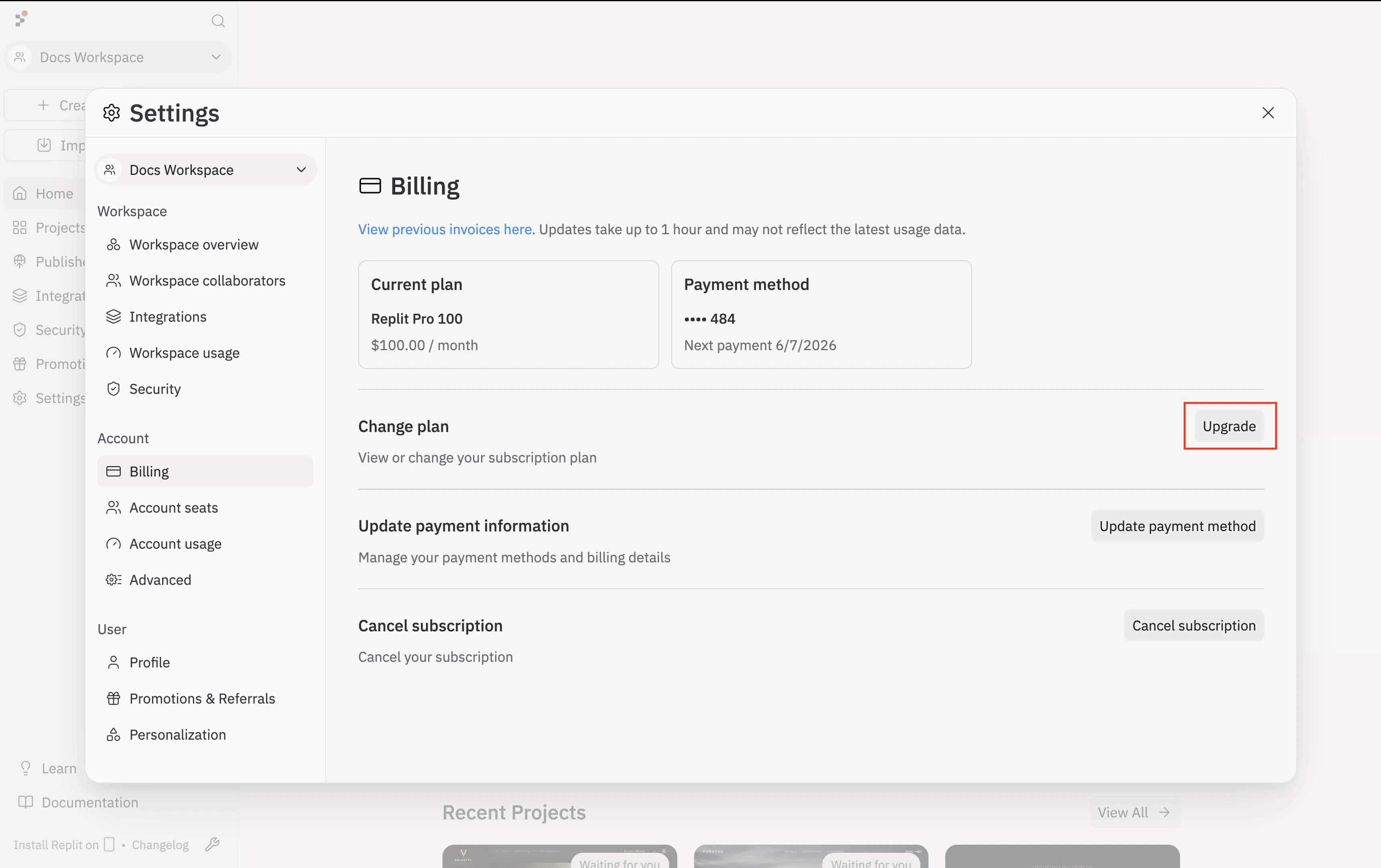
2
Select Enterprise
On the Compare Replit plans screen, click Get started under the Enterprise / Custom column.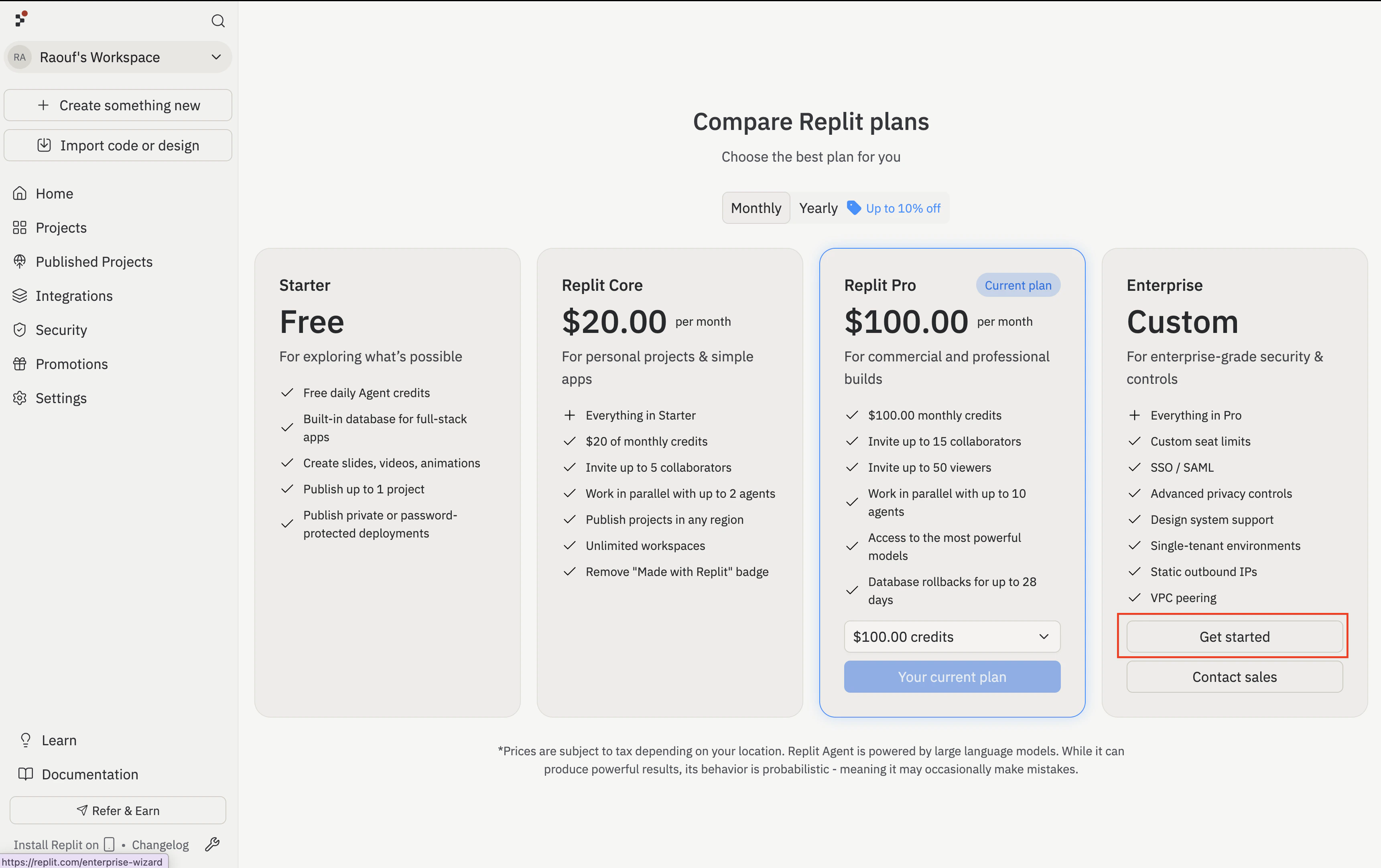
3
Tell Replit about your organization
The wizard opens on the Personalization step. Enter your Organization name and click Continue.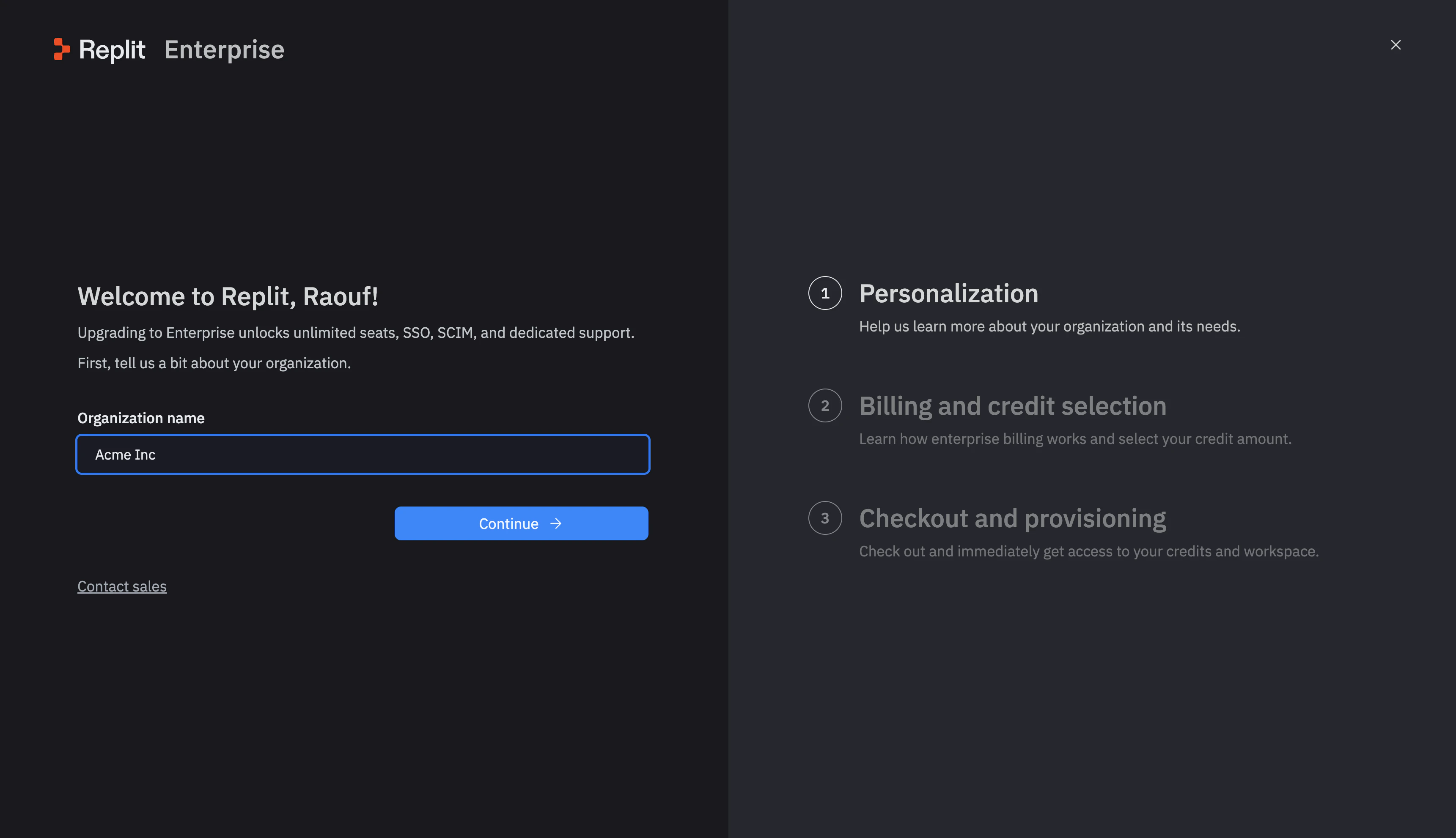
4
How billing works
On the How billing works screen (the Billing and credit selection step in the right rail), pick a billing model: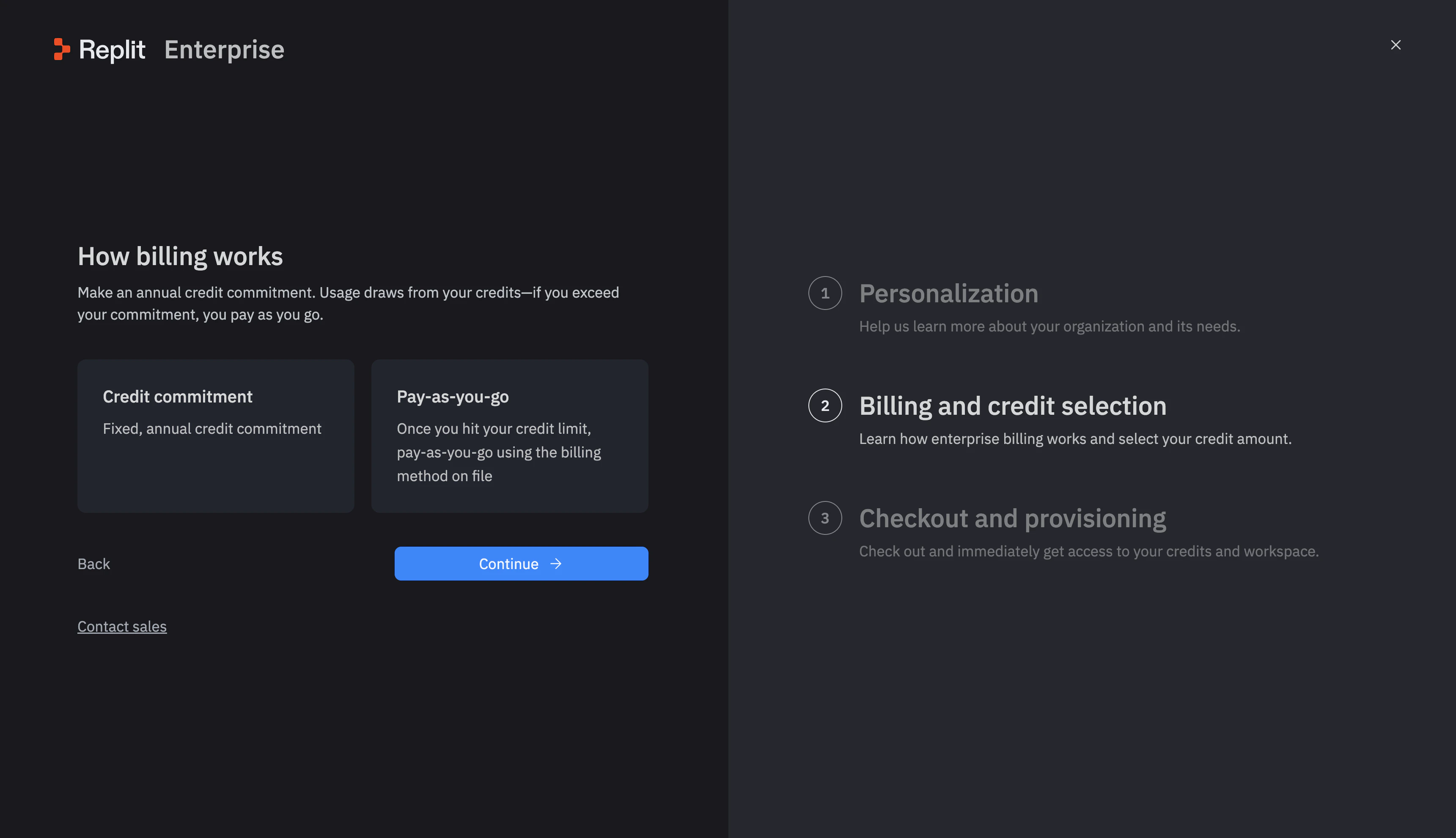
- Credit commitment — a fixed annual credit purchase.
- Pay-as-you-go — charged via the billing method on file once you exceed your credit limit.
5
Confirm your credit commitment
If you chose credit commitment, drag the slider to your desired annual amount, then click Confirm commitment. You can adjust this later with your account manager.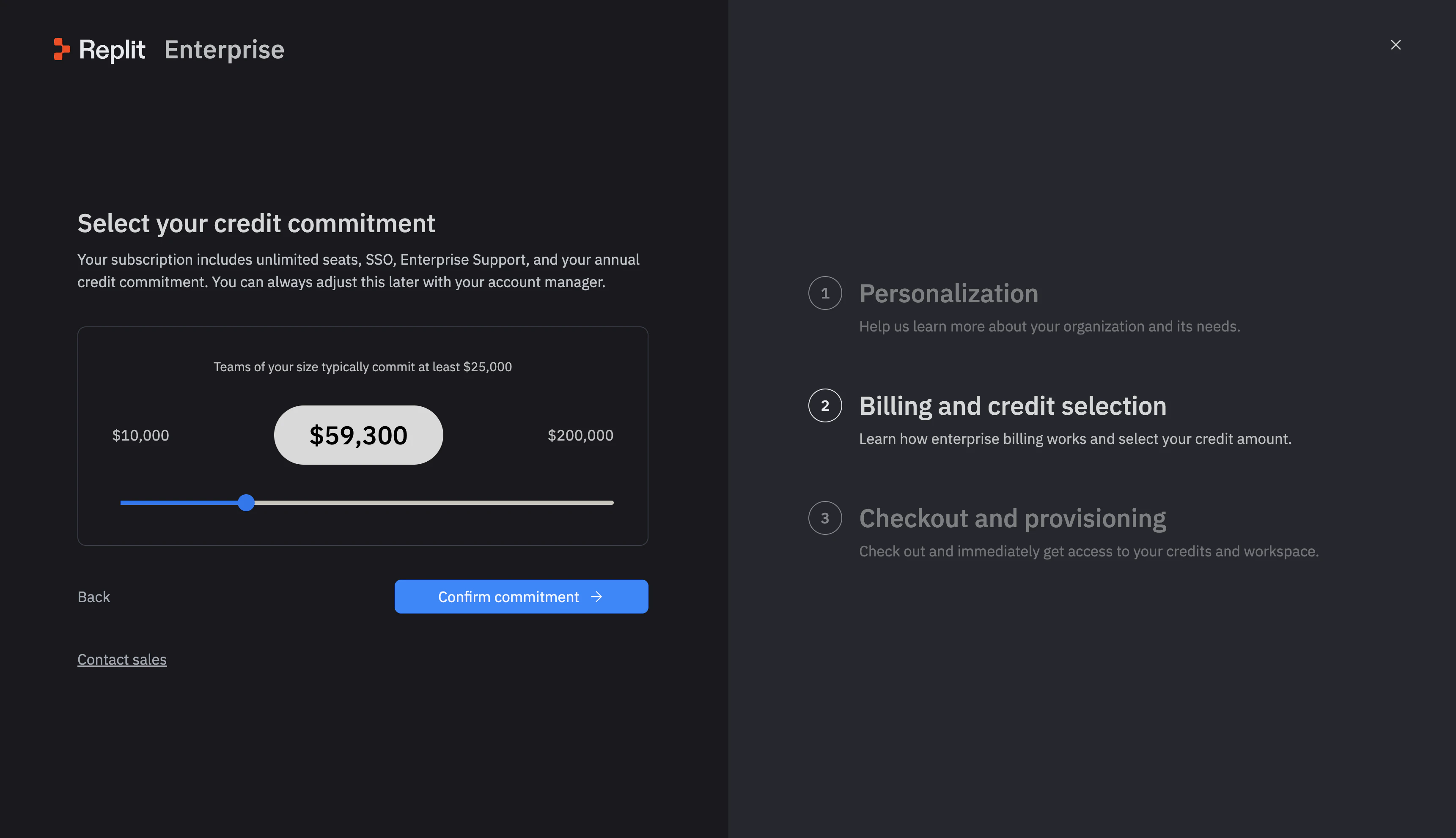
6
Check out
Enter your billing details on the Checkout and provisioning screen. Replit creates your Enterprise organization and provisions your credits right away.
What transfers when you upgrade
If you have collaborative Workspaces, Replit moves them into your new Enterprise organization automatically when you complete checkout. Your published apps stay live during the move, with no downtime and no interruption to your work.- Transferred: Your collaborative team Workspaces and the apps inside them.
- Not transferred: Your personal Workspace, which stays on your personal account.
Your published apps keep running throughout the upgrade. You do not need to republish or reconnect anything after the move.
Next steps
Replit Pro
Compare Pro with Enterprise.
Identity and access management
Set up SSO, SCIM, groups, and audit logs for your organization.
Talk to sales
Get a guided walkthrough, custom pricing, or a larger deal.