What’s new
- Animated agent icon
- Agent tools dropdown in planning flow
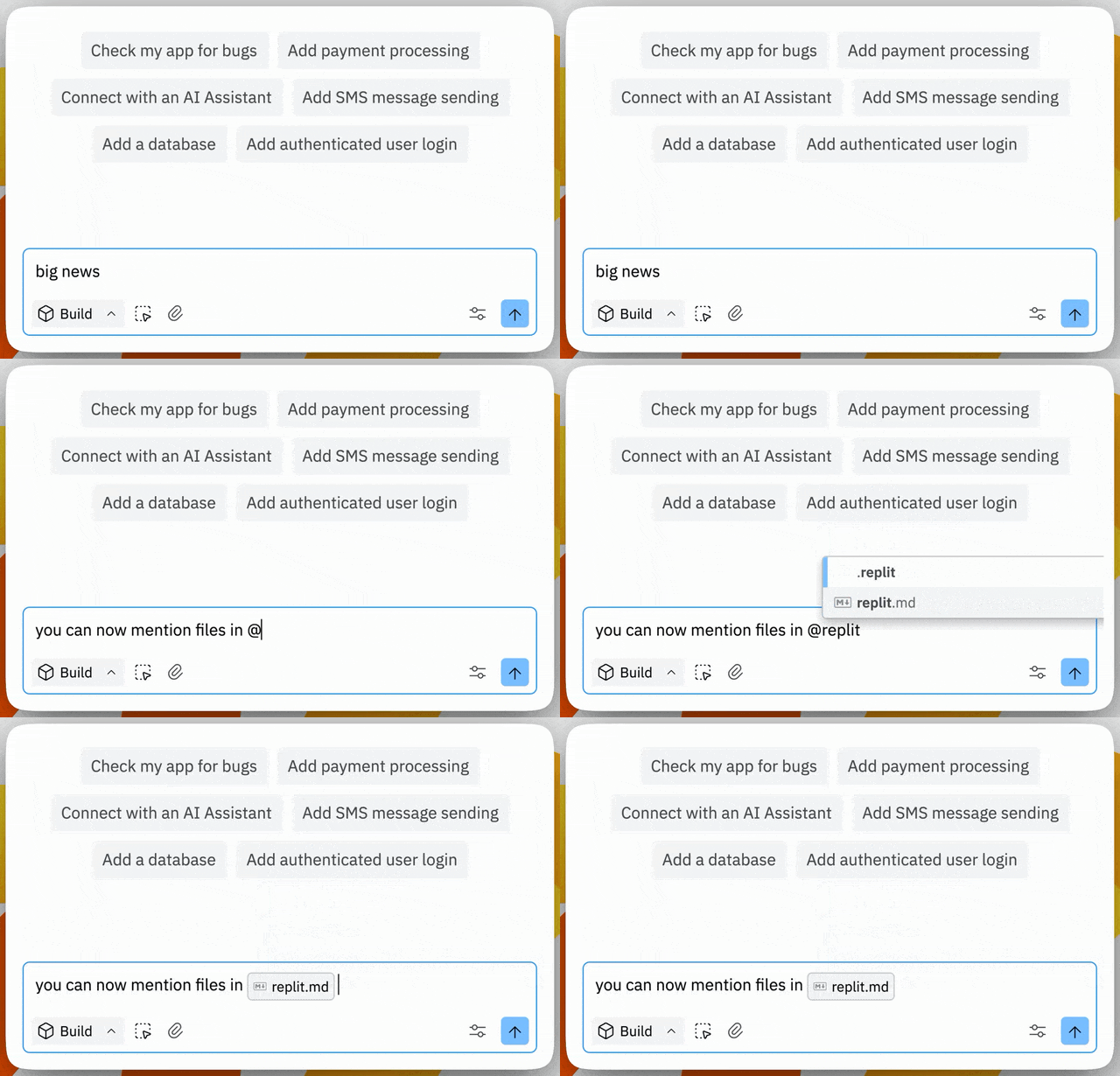
- At symbol filename support in Agent
- Connectors support for remixing
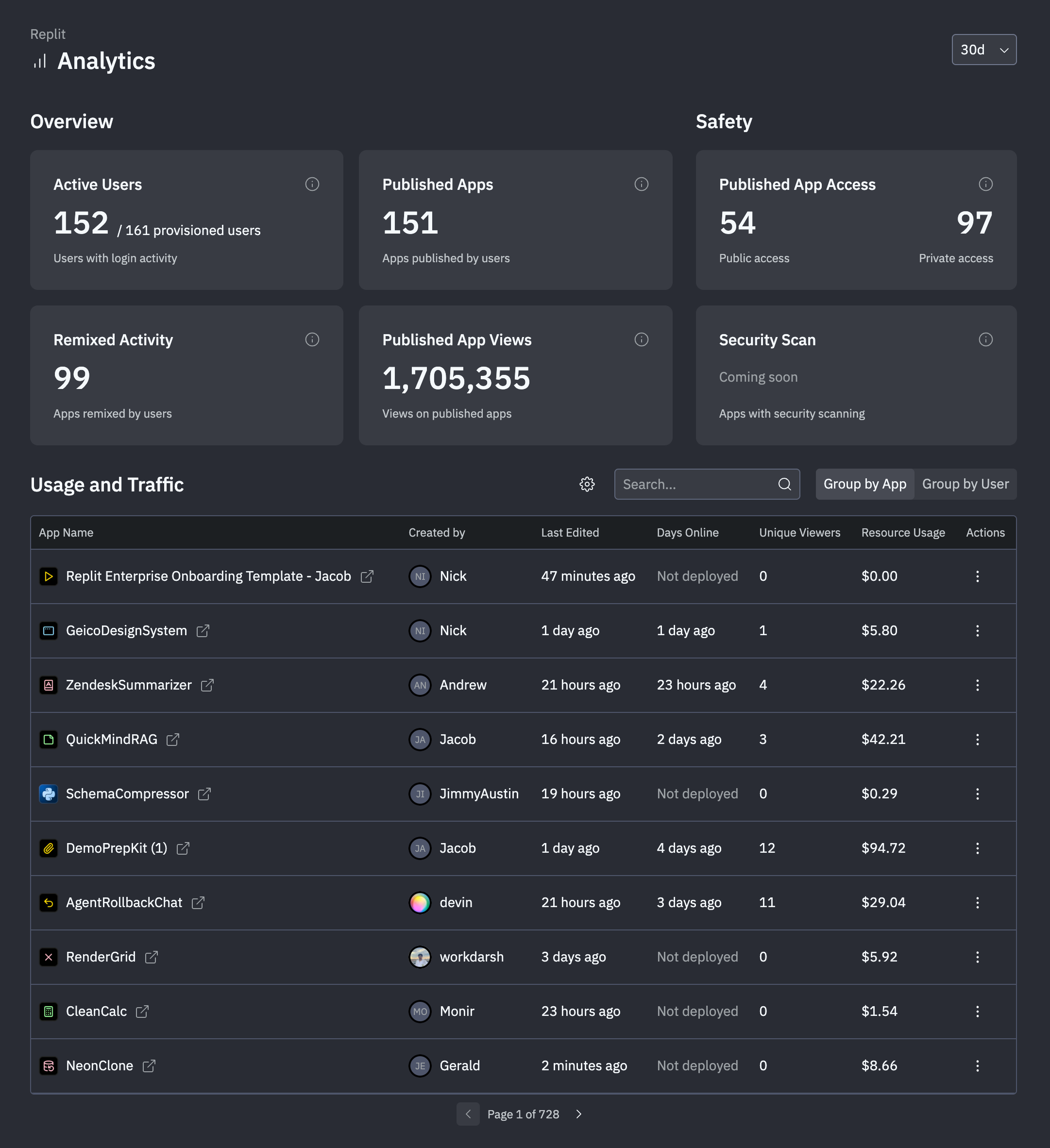
- Analytics dashboard for enterprise admins
Platform updates
Animated agent icon
The Agent icon is now animated during operation, providing better visual feedback that Agent is actively working. This improvement enhances perceived speed and makes it easier to observe Agent activity during the initial planning phase, especially in the centered chat layout where feedback is closer to your request.Agent tools dropdown in planning flow
The Agent tools dropdown is now available during initial planning and task list approval flows. This lets you configure your preferred Agent settings—including Autonomy Level and other preferences—right from the start of your build.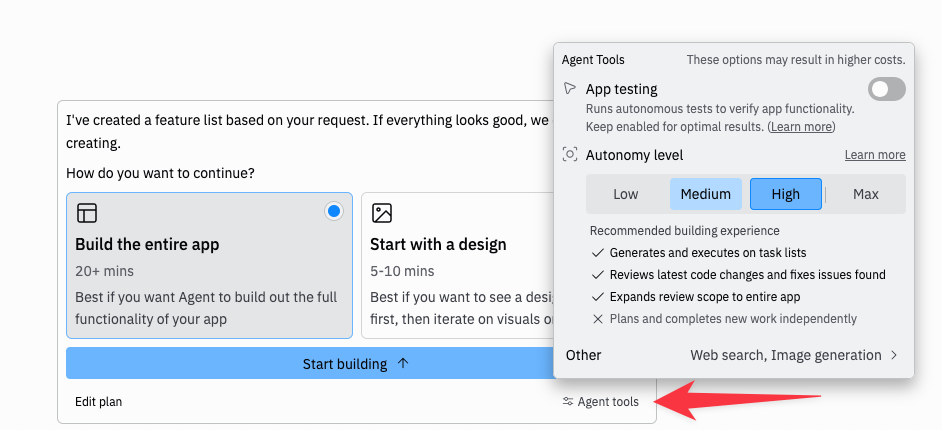
At symbol filename support in Agent
Agent now supports@ filename mentions in addition to / commands, bringing design parity with popular development tools. This feature was highly requested by enterprise users and power users familiar with Cursor-style workflows.
Connectors support for remixing
Previously, remixing any Replit app that used a connector would break the integration, since the remixed repl wasn’t automatically authorized to use the connector. We’ve updated the remixing flow to handle connectors gracefully:- Users are now prompted to set up required connectors when remixing
- The remix process clearly indicates which integrations need to be configured
- No more broken integrations after remixing
Teams and Enterprise
Analytics dashboard for enterprise admins
Enterprise admins now have access to a comprehensive Analytics Dashboard—a major feature request from enterprise customers including Meta and Atlassian. The dashboard provides:- User Activity Monitoring: Track engagement and collaboration across your organization
- Resource Usage Tracking: Monitor spend by user and Replit App
- Deployment Oversight: Keep an eye on deployment activity
- Cost Management: Get visibility into resource consumption and costs