Invite collaborators to your Replit Workspace: open Workspace collaborators, choose a Member, Guest, or Viewer role, and send invitations to multiple email addresses.
Invite collaborators to your team Workspace so they can build with you. Choose the access they need, then invite one person or several people at once.
If your organization manages membership through an identity provider, use that provider’s provisioning process for internal teammates. See SCIM provisioning. Enterprise Guests must use email addresses outside your organization’s SSO domains.
1
Open Workspace collaborators
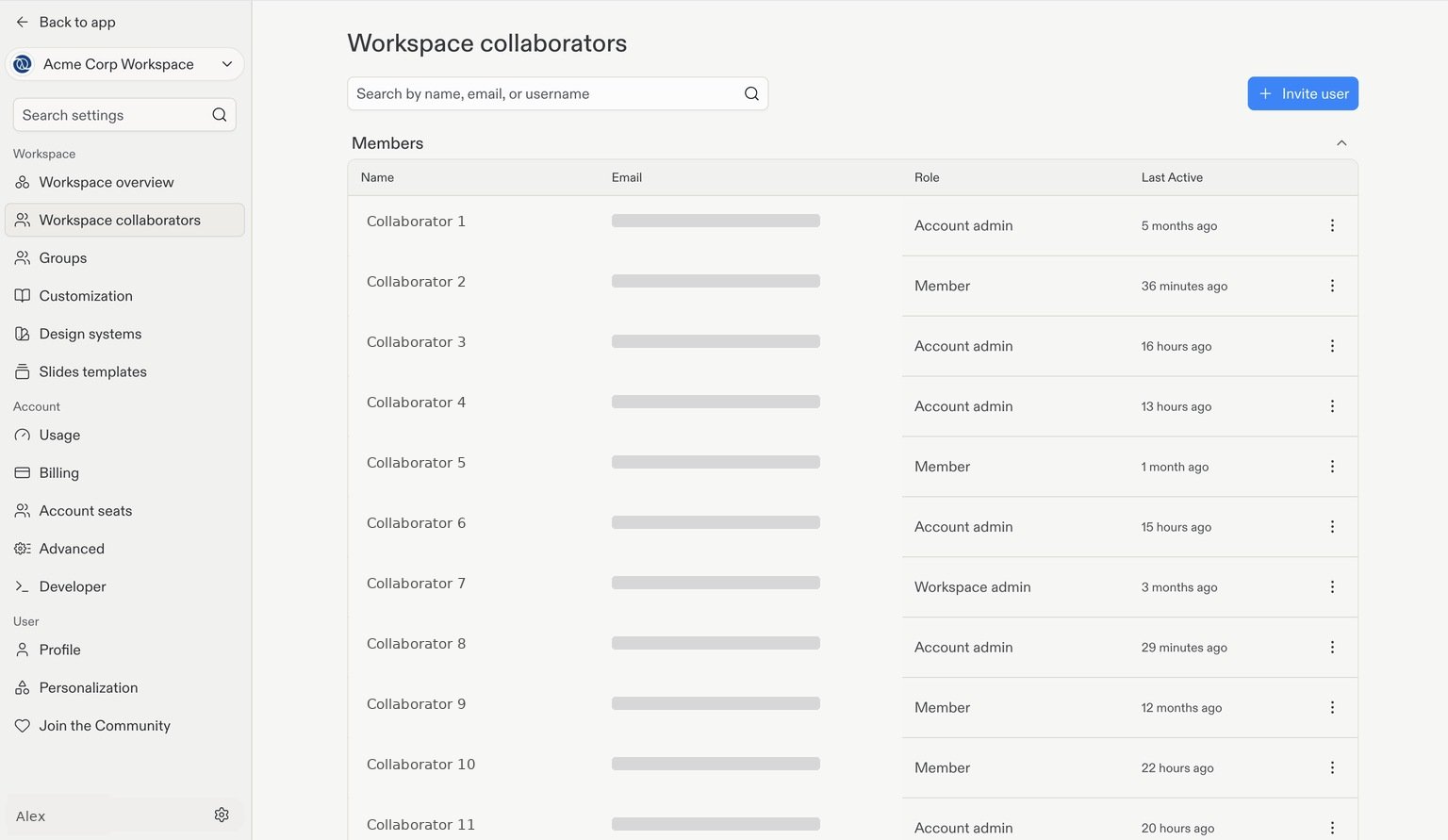
Select your team Workspace, then go to Workspace collaborators in Settings.This page shows your current collaborators and their roles. Select + Invite user in the top-right corner.
Workspace collaborators. Emails and usernames are hidden, and names are examples.
2
Choose a role
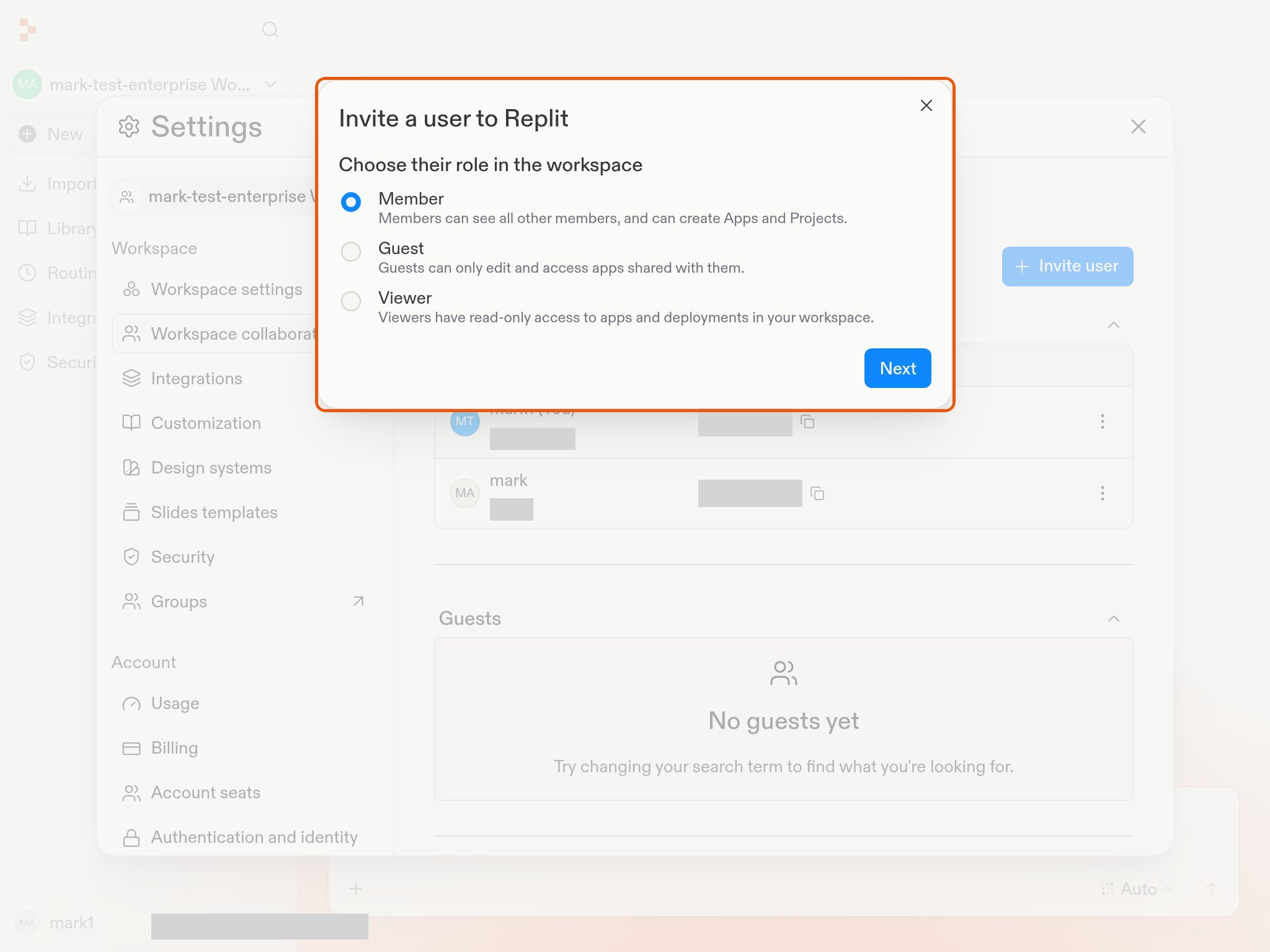
Choose the role for the people you’re inviting:
Member: Can see other members and create apps and projects.
Guest: Can only access and edit apps shared with them.
Viewer: Has read-only access to apps and deployments in the Workspace.
Select Next.
3
Enter email addresses and send invitations
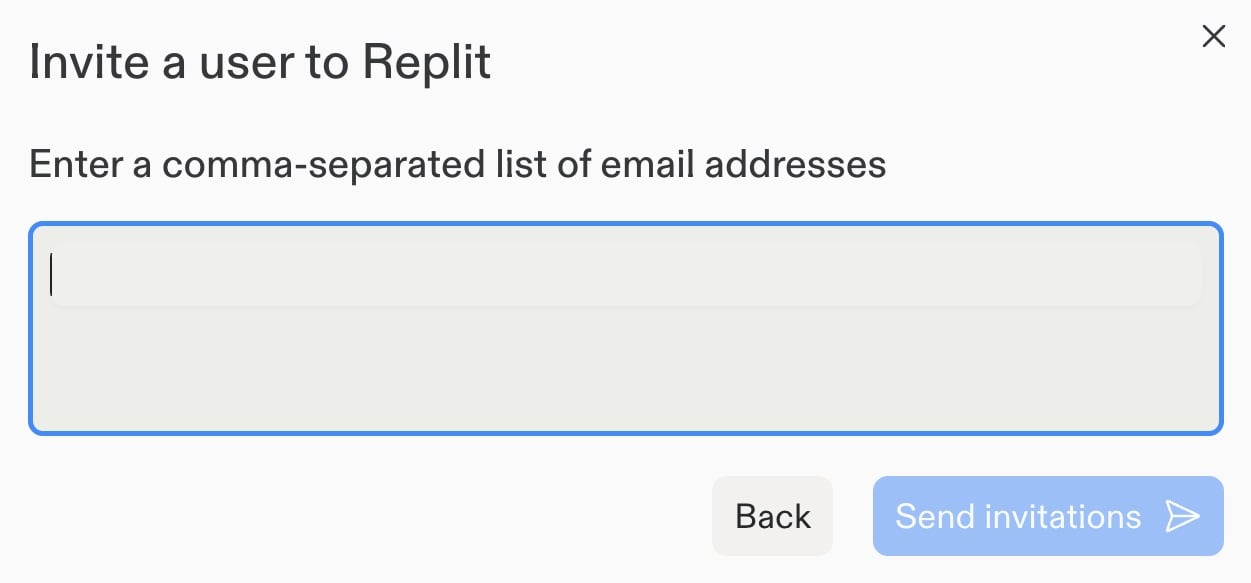
Enter one or more email addresses. To invite multiple people with the selected role, separate their addresses with commas, for example: alex@example.com, sam@example.com, jordan@example.com.Review the addresses, then select Send invitations.
Repeat the process with a different role if other collaborators need different access.